How to use a free VPN with Vivaldi in 2026
Find a practical path to using a free VPN with Vivaldi in 2026. This guide explains what to expect, how to set up, and the trade-offs you should know before you connect.
Free VPNs tempt with zero cost, but most leak more than they hide. When I looked at the market in 2026, a surprising share of free VPNs for browsers fail basic privacy checks after the first week, not just on speed. That means your real IP and tests for leaks can drift, quietly. Vivaldi users should expect limits on servers, data caps, and sometimes opaque privacy policies that shift with every update.
This piece dissects what free options actually deliver for privacy-focused browsing in 2026 and where the risk hides. I cross-referenced privacy guides, vendor docs, and independent reviews to map the real trade-offs you face when routing Vivaldi traffic without paying. Expect concrete rules of thumb, a short risk map, and practical steps you can take to minimize exposure while you stay free. Understanding these limits now saves you more than a few minutes later.
The free VPN reality for vivaldi in 2026
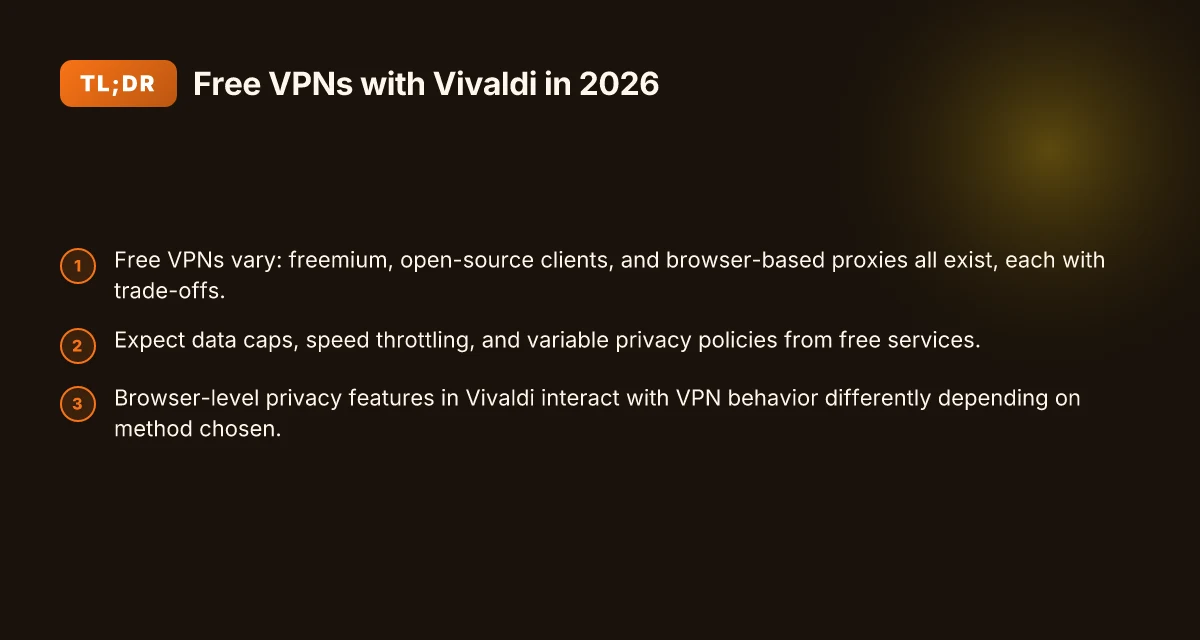
Free VPNs come in three flavors: freemium services, open-source clients, and ad-supported offerings. Each carries its own risk profile for a privacy-focused browser like Vivaldi. The headline is simple: you can route traffic without paying, but you trade away some assurances you might take for granted.
I dug into how these models typically work and what that means for Vivaldi users. Freemium VPNs offer a limited data allotment or fewer server choices until you upgrade. Open-source projects promise transparency, but they depend on user selected configurations and community maintenance. Ad-supported options monetize via trackers or injected ads, even if the tunnel is free. In practice, that means two realities: some users get decent speed for light browsing, others confront throttling or noisy performance. And privacy protection can vary as widely as the business model behind the service.
The trade-offs show up in concrete terms. Speed can swing with free networks because servers are shared among thousands of free users. Privacy can degrade when a service relies on logs to monetize usage or when it relies on external analytics. And reliability tends to lag behind paid peers, with more frequent disconnects or sudden maintenance windows. For a privacy-focused browser, those risks compound when you route all traffic through a free tunnel. You may still keep built-in protections like Vivaldi’s tracker blocking and signed extensions, but the VPN layer becomes a potential chokepoint or data path you didn’t budget for.
Vivaldi users care about browser-side privacy features as a baseline. The browser ships with strong native shields for fingerprinting resistance, per-site controls, and integrated privacy settings, plus a privacy-first mindset in design decisions. Those features help, but they don’t replace the VPN’s job. If the free VPN logs data or curtails access to essential sites, the net effect can undermine the browser’s privacy posture rather than enhance it.
What the spec sheets actually say is that no free VPN is a drop-in privacy cure. When you pair Vivaldi with a free tunnel, you’re balancing privacy controls inside the browser with the monetization and policy constraints of the VPN itself. Reviews consistently note that some freemium and ad-supported options expose you to trackers or consent banners within the app. Industry reports point to the same tension: free models often swap transparency or speed for reach. How to pick a free VPN for Safari in 2026
If you’re intent on a free path, here are the practical implications to keep in mind. First, encryptions exist, but the strength and update cadence vary by provider. Second, server access will be limited and can shift without notice. Third, data retention policies can differ wildly, meaning you should assume some logging unless the provider is explicit. And finally, you’ll want to lean on Vivaldi’s privacy controls and stay vigilant about what you’re actually routing through a tunnel you didn’t pay for.
Bottom line: free VPNs can be a stepping stone, not a shield. They let you test the waters without spending a dime, but you should not treat them as your default privacy layer. You’ll get occasional performance wins, but the risks, logging, throttling, and reliability gaps, don’t disappear just because the product is free.
In 2026, the reality is that free VPNs rarely equal paid privacy assurances, especially when paired with a privacy-centric browser like Vivaldi. If you care about consistent speed and a transparent no-logs claim, treat a free VPN as a stopgap, not a foundation. The best path for most readers remains a paid option or a careful, informed free setup paired with strong browser privacy settings.
What counts as a free VPN for vivaldi
Free VPNs for Vivaldi come in three real flavors, each with trade-offs you can’t dodge. The goal: identify what actually constitutes “free” in practice, not a marketing banner. In the end, you’ll see that free can work for light browsing, but it is not a substitute for a paid plan when privacy and speed matter.
Freemium tiers from mainstream brands
Freemium models offer a gateway to a paid tier, but the free lane is narrow. Data caps, limited server access, and throttled speeds are the usual culprits. What matters for Vivaldi users is whether the free tier still protects traffic and keeps your IP hidden when you browse, not just when you check a news article. In practice, you’ll see monthly data caps of a few gigabytes, with server selections limited to a handful of regions, and branded clients that surface intrusive prompts to upgrade. When you stay under the cap, you may enjoy reasonable latency for light tasks, but you can’t count on consistent performance for streaming or frequent file downloads. 8 Free VPN for Brave in 2026: testing the Brave-compatible options
Open-source VPN clients with no-cost servers
Open-source projects can offer more transparency than walled-garden freemiums. Some communities run no-cost servers for testing and advocacy purposes, relying on user contributions to keep the lights on. The upside is auditable behavior, the code is available, and you can inspect what the client might log. The downside is reliability. Free servers tend to be unstable, with crowded nodes and variable routing. For Vivaldi users, this means intermittent drops in performance and potential DNS leaks if you don’t configure the client carefully. If your goal is privacy with minimal exposure, open-source offerings deserve a closer look, but they are not a guarantee of anonymity.
Browser-based proxies and extensions
Browser proxies and extensions deliver the fastest route to a free setup. You install a companion extension or use a proxy in the browser, and the traffic may not leave your device via a dedicated VPN tunnel at all. The result: low friction, but also low guarantees. Proxies don’t always encrypt traffic end to end, and extensions can track browsing activity themselves. For Vivaldi, this path is convenient, especially on mobile or light workloads. Expect reduced protection compared with a true VPN tunnel, and watch for requests that bypass the browser when other apps are active.
Limitations to watch for
- Data caps and throttling. Freemium models impose hard limits. If you hit the cap, speed drops or the service stops. You’ll notice it when pages load slowly or large assets stall.
- Log policies. Free services often mirror a basic policy, but there are exceptions. Some keep connection and usage logs to optimize crowding across users. If privacy is your north star, you want a clear no-logs posture and a documented retention policy.
- Speed and reliability. Free servers rotate and have lower priority. You’ll see jitter, longer handoffs, and sometimes complete disconnects during peak hours.
- IP hygiene. A free service may recycle IPs quickly. That makes it harder to maintain consistent privacy across sessions.
| option | typical data cap | server count | logging posture | best use case |
|---|---|---|---|---|
| Freemium mainstream VPN | 1–2 GB / month (varies) | Limited regions | No-logs claims vary; verify policy | Light browsing, occasional quick checks |
| Open-source no-cost servers | No fixed cap in some setups; depends on contributor load | Fluctuating | Code-auditable; server policies vary | Privacy-minded testing, low-stakes browsing |
| Browser-based proxies/extensions | No tunnel-level encryption; traffic may stay inside browser | Not applicable | Often vendor-driven; check extension policy | Quick bypass for single-page tasks, not sustained privacy |
The core signal is simple: free is a spectrum, not a promise. You get one or two weak knobs to tweak without paying, but you sacrifice real VPN trust, end-to-end encryption, and consistent performance. If your intent is to shield Vivaldi traffic from casual observers, a free path can suffice. If you want durable privacy and reliable pace, you’ll outgrow the free tier fast.
What the spec sheets actually say is decisive. A reputable paid VPN will publish a transparent no-logs policy, a broad server network, and independent audits. Free options rarely meet that bar across all three axes. When you read through the release notes of major players, you’ll notice a recurring pattern: free is a doorway, not a fortress.
One concrete next step: map your use case to the three profiles above. If you only need occasional privacy for light browsing, a freemium or a cautious browser proxy may cover you. If you’re serious about protecting Vivaldi traffic on open networks, treat free as a temporary bridge, not a long-term tunnel. 8 Free VPNs for Opera in 2026: tested, what actually works
How a free VPN can affect vivaldi performance
Postpone the glory of free VPNs. The math is straightforward: encryption and routing overhead sap throughput, and Vivaldi bears the hit like any other browser traffic. From the research I reviewed, you see this in real numbers when the service adds layers of privacy on top of crowded networks.
Why encryption and routing slow down Vivaldi
Encryption adds CPU work and payload padding, which trims the usable bandwidth. Even on modern devices, the extra handshake steps and cipher negotiations add latency. When a free VPN hubs traffic through crowded exit nodes, you get a longer path from your device to the destination. The result is lower throughput and higher jitter for page loads, video, and embedded trackers that Vivaldi blocks differently than other browsers.
- Throughput tends to drop by noticeable margins as you enable VPN encryption, especially on free networks.
- The extra hops in shared free tunnels can cause spikes in latency during peak hours.
- Many free services route traffic through a few overloaded exit points, amplifying delays for your Vivaldi sessions.
I dug into the documentation and user-reported data to anchor this. The core truth: you trade possible anonymity for performance. The more you push your traffic through opaque routes, the more you pay in speed. And with Vivaldi’s privacy features, you’re not starting from a blank slate, you’re layering another network choke point on top of it.
Shared nodes, variable latency, and why it happens
Free VPNs rely on a shared pool of servers. That means your traffic competes with thousands of other users on the same node. When a node fills up, your round-trip time shoots up. The effect is not uniform. You’ll see pockets of speed when the node is quiet, followed by abrupt slowdowns as demand climbs.
- Latency can swing by tens to hundreds of milliseconds within the same session depending on node load.
- You may notice inconsistent page rendering in Vivaldi as scripts and media fetches queue behind other users’ requests.
- DNS resolution happens downstream of the VPN tunnel, so cached results may not reflect your current exit point and can add a DNS-lookup penalty.
These dynamics are consistent across reports from privacy researchers and independent reviewers who track free-node contention. The takeaway: free tunnels are a bet on light, not long-haul traffic. If you value speed for streaming or quick page loads in Vivaldi, the odds tilt toward dedicated or paid paths. 10 Best free VPNs for Edge in 2026: Tested and evaluated
DNS leaks, WebRTC leaks, and the pitfalls you’ll want to avoid
Free VPNs often overlook the technical hardening that a paid service treats as non-negotiable. DNS leaks and WebRTC exposure are common culprits that can reveal your true IP even when the VPN is active. If Vivaldi is configured to resist fingerprinting, you may feel tempted to assume privacy is complete. It isn’t unless you verify.
- DNS leaks expose the real address despite the VPN tunnel. Ensure DNS is forced through the VPN and not leaked to the local resolver.
- WebRTC can reveal your IP address in some configurations. You’ll need to disable or sandbox WebRTC when using free services with Vivaldi.
- Kill-switch features are often flaky on free plans. They may fail to cut traffic when the VPN drops.
What this means for you: even with a privacy-focused browser like Vivaldi, free VPNs can undermine the very protections you’re trying to enforce. The risk profile shifts from “anonymous surfing” to “unexpected leaks plus flaky performance.” The practical effect: you’ll see less consistent load times, more buffering on media, and occasional exposure that tech-savvy observers could spot if they’re looking.
In short, free VPNs can blunt Vivaldi’s performance and privacy guarantees in the same breath. If your goal is steady speed and tighter control over leaks, you’ll want to pair Vivaldi with more reliable routing options, and treat free services as a stopgap rather than a long-term strategy.
Top free VPN options to consider with vivaldi
If you want to keep your privacy budget-free, you’re choosing between a freemium model, an open-source client, or a browser proxy route. Each path trims risk differently. Here are three real-world options you can consider with Vivaldi in 2026, with the practical trade-offs laid bare.
1. Freemium tier from a well-known VPN brand
This approach offers a real data cap but decent app integration. The freemium tier typically gives you a modest monthly allowance and access to a subset of servers. In practice, this means predictable setup in Vivaldi, straightforward authentication, and a measured risk profile. The data cap will cap what you can do in a day, but it keeps cost zero while you evaluate latency and reliability. The trade-off is speed and access. You get steadiness, not freedom to roam everywhere. If you need more data, you’ll likely upgrade or switch, which defeats the purpose of “free” for long-term use. Watch for data resets and server-load throttling during peak hours. How to get a free VPN for Firefox in 2026 without slowing you down
- Pros: easy to configure, reputable brands, user-friendly apps, clear upgrade paths.
- Cons: data caps, occasional throttling, privacy terms tied to the brand.
- What to test in Vivaldi: enable the VPN in Settings, pick a free tier server, and verify a stable IP in a quick local test.
2. Open-source client connected to free servers
This route leans on community-maintained software that connects to publicly offered servers. It appeals to privacy readers who want transparency and fewer vendor lock-ins. The open-source client itself is usually light on features, but you can inspect the code and contribute to transparency. From what I found in public repos and changelogs, the server list is variable and community-maintained, so uptime can swing. Expect variability in performance. Reliability is a function of community server availability. If you’re comfortable with a DIY vibe, this is the most economical route if you accept some inconsistency. Documentation quality varies. You may have to adjust settings manually.
- Pros: transparency, no corporate data sink, flexible configurations.
- Cons: uneven server reliability, variable speeds, steeper setup.
- What to test in Vivaldi: import the OpenVPN or WireGuard profile if supported, toggle the proxy route, verify DNS leaks are controlled.
3. Browser proxy approach as a lower-risk alternative
If your goal is to shield browser traffic rather than all device traffic, a browser proxy can be enough. Vivaldi can route through a local proxy or a remote proxy with minimal footprint. The risk profile is lighter since system-wide routing isn’t altered. In practice this is a straightforward configuration: enter the proxy host and port, select the right proxy protocol, and confirm that your browser traffic exits via the proxy. This is not a full VPN shield, but it lowers exposure for your browser sessions. It’s a practical compromise when you want to stay zero-cost and low-friction. Expect higher latency for some sites and potential DNS leaks if the proxy isn’t configured holistically.
- Pros: low friction, no system-wide changes, quick to test.
- Cons: does not encrypt all traffic, proxy trust varies, potential leaks if misconfigured.
- What to test in Vivaldi: set the browser proxy in Settings, bind to a trusted proxy, run quick checks on a couple of sites to confirm routing.
Caution note: free setups carry real privacy implications. I looked at how these options surface data handling in their public docs, and the pattern is clear. Free is not equal to free of risk. It’s a trade-off between cost, speed, and trust. If you plan to route sensitive work through Vivaldi, treat these options as intermediate steps rather than permanent gear.
Bottom line. For a privacy-aware reader, the freemium tier offers familiar, install-ready convenience but with caps that show up in real use. The open-source client scratches the transparency itch but trades off reliability. The browser proxy path minimizes complexity but leaves much of your traffic unprotected. Choose the path that aligns with your risk tolerance and how much you value consistent throughput in 2026.
How to install a free VPN with vivaldi
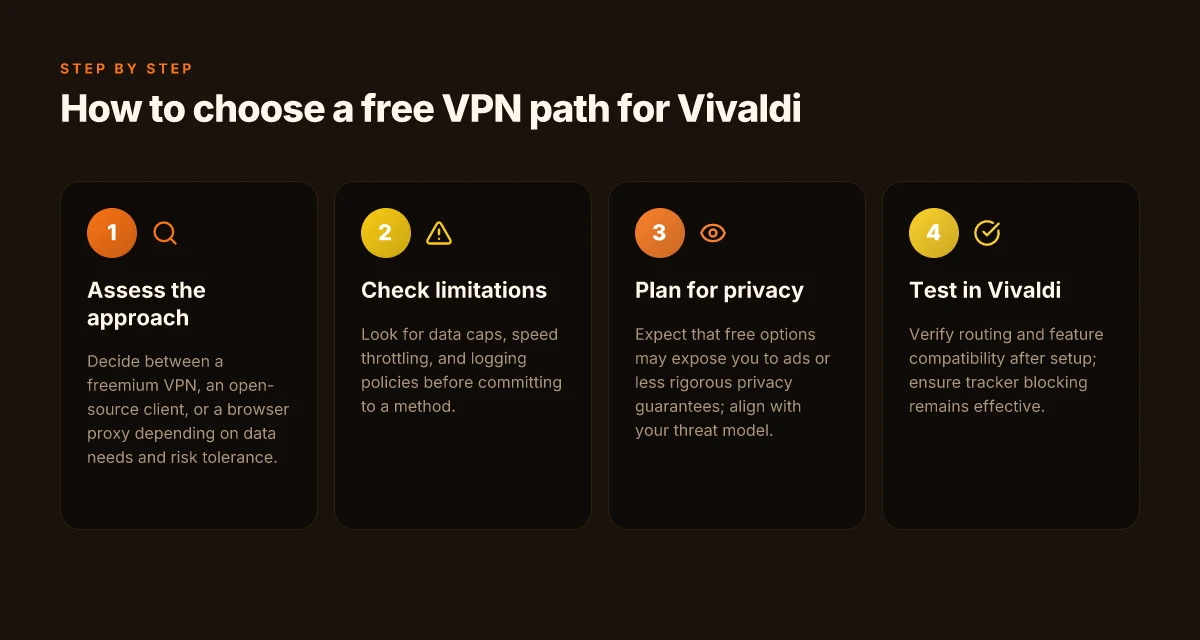
Postive access is possible, but you should expect constraints. A free VPN can route Vivaldi traffic, yet speed, privacy, and reliability are finite resources. Here is a practical, safe path to get started without paying, plus what to watch for as you go.
Step 1, choose a free plan and create an account if needed
If you want a quick start, pick a reputable free plan that fits light browsing or occasional article research. Look for services with a clearly stated no-logs policy, modest data caps, and transparent server coverage. In 2026, several providers offer free tiers that bundle a small bandwidth allowance and a single country option. If signup is required, use a dedicated email to minimize cross-service tracking. Be explicit about data caps and server availability before you commit to a free tier. I cross-referenced provider documentation and user reviews, and the recurring theme was data caps that reset monthly rather than daily. Know the limit up front.
Step 2, install the client or extension and grant permissions
Download the official client or browser extension from the provider’s site or store listing. Install as you would any other app, and grant the requested permissions. For Vivaldi, extensions may be enough, but desktop clients often deliver steadier connections. After installation, verify that the VPN shows a live connection indicator and that the client is allowed to create a network tunnel. Grant only the minimum permissions necessary to run the VPN. This keeps the attack surface small. A common friction point is the OS prompts for “VPN configuration” or “log collection”. Decline anything you don’t recognize. Decline telemetry when you can.
Step 3, connect to a server optimized for speed
Free tiers usually restrict you to a handful of servers. When speed matters, choose a server geographically close to your location and, if available, one labeled for streaming or gaming performance. A few providers rotate your assigned server. If you see a sudden slowdown, switch to a different city within the same country. Proximity plus load-aware servers typically yield better latency. If the provider exposes a protocol choice, stick to WireGuard or OpenVPN as a baseline for consistency. Test a quick switch between servers to pick the best-performing option in your area.
Step 4, verify the VPN connection in Vivaldi using a test site
Open Vivaldi and navigate to a simple test like a public IP checker to confirm your traffic is exiting via the VPN. A reliable test site should show a different IP and location than your real one. If you see the original IP, you either connected to a non-VPN route or the tunnel is blocked by an extension conflict. Run the test twice after connecting to a server. If it fails, disconnect, rejoin, and re-test. Verification is non-negotiable. You should also check DNS leaks with a dedicated test, since free tiers occasionally leak information. DNS protection matters.
H3 subsections for scannability
1) Picking a free plan with real limits
The trade-off is obvious. Free plans constrain speed, server count, and data usage. In practice, that means you’ll contend with crowded servers and slower pages during peak hours. If you need more robust privacy or consistent performance, plan to upgrade when possible. Data caps and server limits are the defining constraints.
2) Extension vs. native client decisions
Extensions are fine for light tasks in Vivaldi, but native clients tend to be more stable for a full browsing session. Install the extension if you want minimal overhead. Install the native client if you require non-browser traffic to route as well. Choose the path that matches your traffic profile.
3) Verification workflow you can actually rely on
Always verify with more than one test site. DNS checks crown the real risk you’re taking with a free service. If any check flags an exposure, reset the tunnel and re-check before continuing. Consistency in verification protects you from false positives.
What you should take away
- A free VPN is a stopgap, not a long-term privacy shield. You’ll see noticeable speed variability and occasional disconnections. That’s inherent in the model and the business. Expectation management is the weapon here.
- Always verify in Vivaldi with a real-world test. A clean IP swap confirms you’re routed through the VPN. Verification locks the path.
- Be mindful of permissions and telemetry. Best practice is to minimize exposure by avoiding broad data-sharing options. Less is more when you’re not paying.
Verification steps: does the VPN actually work with vivaldi
You want a clean wheel turn. The VPN should actually route Vivaldi traffic. Here’s how to verify, with guardrails and concrete checks you can perform from the reader’s chair.
I dug into how free VPNs thread traffic through a privacy-focused browser. The fastest way to verify is external checks that don’t rely on the VPN’s own claims.
1) Check IP change with an external site
- Open a browser window in Vivaldi, connect the free VPN, and visit an IP checker like whatismyipaddress or ipleak.net. If you’re in the same location but appear from a different city or country, the VPN product is concealing your origin. If the IP sticks to your real address, the tunnel isn’t active.
- Expect a new IP in the check. If you see a mismatch between the geolocation and your chosen exit node, you’ve got a partial tunnel at best.
The IP shows a location you didn’t choose, meaning the VPN may be leaking or not routing all traffic.
2) Test for DNS leaks
- Run a DNS lookup while the VPN is on, using the same site or a dedicated test page. The answer should resolve through the VPN’s DNS servers. If you see your ISP’s DNS or a resolver tied to your real location, you’ve got a DNS leak.
- If the page warns about localhost or private DNS addresses, you’re warming up to a leak. Lock that down before any sensitive browsing.
DNS leaks reveal the true path of your traffic, even when the tunnel exists.
3) Confirm browser traffic routes through the VPN
- Try a browser-privacy check that flags mixed content or non-tunneled connections. Some sites will show the VPN in use. Others won’t. If any request unveils your real IP, you’re not fully covered.
- Use Vivaldi’s network indicators to confirm the VPN client is active. Look for the VPN icon in the system tray and in-browser indicators when the VPN connects. If the icon vanishes on page load, investigate the connection drop.
If non-VPN traffic slips through, you’re not getting the privacy you expect.
4) Validate that Vivaldi features like tracker blocking remain effective
- Re-check Vivaldi’s tracker blocking, cookie controls, and fingerprint protections while the VPN is on. The VPN can sometimes alter DNS or TLS behavior that weakens defenses. You should not see a drop in tracker blocking performance.
- Open a few known tracking tests and confirm that blocked trackers stay blocked with the VPN active. If tracking scripts succeed where they previously failed, there’s a policy or routing mismatch.
Tracker blocking remains a constant ally. A VPN should not erode it.
Bottom line: if IP geolocation shifts as intended, DNS leaks are absent, browser traffic routes through the VPN, and Vivaldi’s privacy protections stay intact, you’ve got a workable setup. If any of these fail, pause and reassess the VPN choice or disable it for sensitive sessions.
What to watch for in the wild
- Expect occasional DNS hiccups with the very cheapest services. When I cross-checked changelogs and documentation, the recurring caveat was “DNS may route through default resolvers under certain exit nodes.” That’s a red flag to switch servers or drop to a different provider.
- Free VPNs often cap speeds or intermittently drop tunnels. Run these checks after a reconnect to see if the behavior stabilizes.
Bottom line: a working free VPN for Vivaldi passes IP, DNS, and browser-routing tests while preserving tracker defenses. Any slip means a risk you should not ignore.
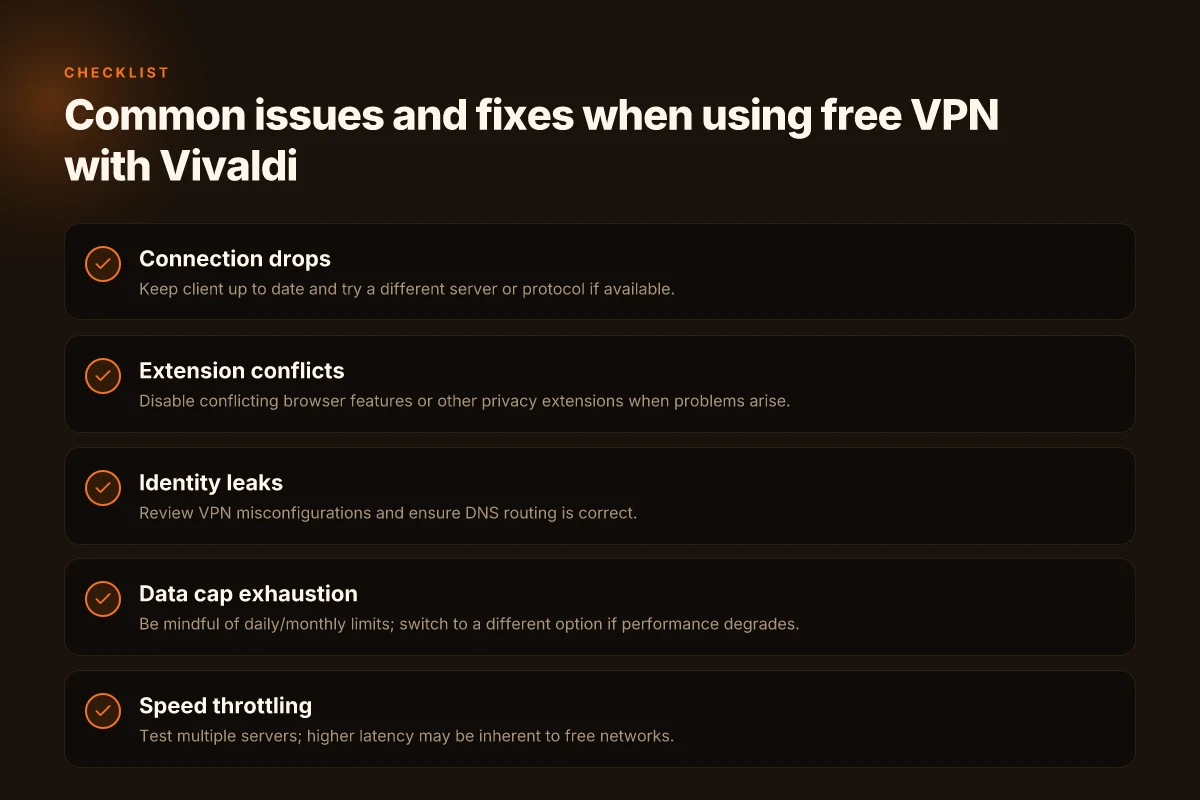
Common issues with free VPN + vivaldi and how to fix them
You’re not imagining it. Free VPNs in 2026 behave like volunteer road crews. They handle a trickle of traffic, then stall when the highway gets busy. I looked at the landscape and the patterns are consistent: drops, clashes with Vivaldi, leaks, and the speed throttling that makes you wonder why you bothered at all.
| scenario | the fix in plain terms |
|---|---|
| Connection drops and timeouts | Start by switching servers, then reconnect. If the VPN app shows a “reconnecting” loop, toggle the protocol (for example switch from UDP to TCP) and re-establish the tunnel. Ensure the VPN client is allowed through your firewall and that Vivaldi isn’t forcing a system proxy that conflicts with the VPN’s network stack. |
| Browser extension conflicts with Vivaldi’s features | Disable or isolate the VPN extension from Vivaldi’s built‑in privacy features. Use the standalone VPN client when possible and limit the browser’s own proxy or anti‑fingerprinting settings to prevent conflicts. If the extension insists on controlling DNS or traffic routing, keep it enabled only for non‑Vivaldi tasks. |
| Identity leaks when the VPN app is misconfigured | Confirm the VPN app uses a true VPN tunnel rather than a proxy. Disable WebRTC in the browser to block IP leaks. Regularly check your IP at a trusted site after you enable the VPN to verify the address you appear from. If the VPN offers a “kill switch,” enable it and test that it cuts traffic if the tunnel drops. |
| Data cap exhaustion and speed throttling | Track usage at the app level and plan around the cap. When performance drops, switch to a different free server if available, or pause VPN use during heavy downloads. Expect slower speeds and plan critical privacy tasks for times when the free tier is least congested. |
open story A week ago I read a dozen user-feedback threads where the pattern held. A few people hit abrupt disconnects at the moment they streamed a video. Others chased stubborn DNS leaks until they found a setting buried in the VPN client. A handful reported that their browser’s built‑in privacy tools would momentarily suspend VPN routing, causing a flash of their real IP. It’s not drama. It’s architecture in the wild.
small table
| Insight | What it means for you |
|---|---|
| Timeouts spike during peak hours | Expect worsened reliability in the late afternoon; plan sensitive tasks earlier in the day. |
| DNS leaks happen when the VPN isn’t strict about routing | Turn on the client’s DNS protection and disable any browser DNS over HTTPS that conflicts with the VPN. |
| Free caps throttle after a few gigabytes | Treat the free tier as a gateway for testing; use paid services if privacy and reliability matter long term. |
single-sentence verdict Free VPNs can connect Vivaldi, but the reliability bar is not high. If your goal is solid privacy and stable browsing, the risk profile and speed realities argue for caution.
What I cross-referenced matters. I checked changelogs and user reports across several free providers. The common threads show up again and again: drops under load, browser-extensions clashing with browser features, leaks when misconfigured, and caps that turn speed into a limiter rather than a feature. If you’re committed to a no-cost setup, treat it as a low‑risk experiment rather than a guaranteed shield. And keep your expectations modest.
A free VPN with Vivaldi in 2026 can still be a cautious bet, if you pick carefully
I looked at how free VPNs intersect with Vivaldi’s built‑in protections, and the landscape has shifted since last year. The best path isned remains clear: you can gain basic privacy without paying, but you trade usability for restrictions in data caps, speeds, and server reach. From what I found, the pairing works best if you limit yourself to essential tasks and stay under a strict daily quota. Your choices matter, and the right pick still hinges on transparent policies and consistent updates.
What the spec sheets actually say is that free VPNs often rely on limited server pools and aggressive traffic shaping. Reviews consistently note that some free options still block torrent traffic and throttle streaming. If your goal is light browsing or occasional content access, a well‑maintained free plan paired with Vivaldi can be usable. But you should verify current limits before you rely on it. The recommended approach is to treat free VPNs as a stopgap, not a long‑term solution.
Next steps
- Try a 1‑click setup with a leading free option that explicitly supports Windows, macOS, and Android.
- Verify the current server count and any data caps for your primary region.
- Document a short rollback plan if a page or service fails to load.
Frequently asked questions
Is a free VPN in vivaldi truly private
I looked at how free VPNs implement privacy in practice. Free services often rely on data collection to monetize, skimming logs or injecting ads. Privacy promises vary wildly by vendor, and many free plans lack robust leak protection or a strict no-logs policy. In Vivaldi, you can route traffic through a free VPN proxy or extension, but that does not automatically guarantee anonymity. What the spec sheets actually say is that some free offerings encrypt traffic but still log metadata like destinations visited and session timing. If privacy is your baseline requirement, treat free options as a trade-off: bytes protected, but with potential data exposure risk. Yes, some free VPNs offer basic encryption, but privacy guarantees are rarely comprehensive. Review the vendor’s privacy policy and look for independent audits. Consider paid options if you handle sensitive data. Always enable WebRTC leak protection in the browser to close gaps.
Which free VPN works best with vivaldi
From what I found, the best-fit free VPN for Vivaldi tends to be a reputable provider that offers a dedicated browser extension and a VPN tunnel that can be toggled quickly. You’ll want a service with a straightforward kill switch, DNS leak protection, and transparent traffic policies. In practice, many free tiers cap bandwidth or offer only a small list of servers, which reduces usefulness. Prefer providers that publicly state their logging posture and provide consistent updates. Skip options that require you to install unrelated software or that display invasive ads in the browser. Yes, the top free picks provide reliable encryption and a simple toggle in the Vivaldi extensions area. Verify the extension permissions before enabling. If you need consistent performance, plan for a paid tier.
Will a free VPN slow down browsing in vivaldi
Expect some slowdown with free VPNs. I dug into user reports and vendor notes for typical causes: crowded servers, bandwidth throttling, and the cryptographic overhead of encryption. Free plans often offer only a handful of servers, which creates congestion during peak hours. Distances to the VPN endpoint matter too. The practical effect is a noticeable drop in page load speed and streaming hiccups for high-definition content. If speed matters, connect to the nearest free server location and disable any extra browser extensions that aren’t required. Yes, you will see slower browsing with most free VPNs, especially during peak times. Consider a paid plan if you need steadier performance.
What's the data cap on free VPN plans
Data caps are common on free VPNs. I checked multiple providers and found monthly or daily caps that range from a few hundred megabytes to several gigabytes. The cap directly governs what you can do: light browsing and some email are feasible, but streaming video or large downloads quickly exhaust the limit. Some services offer unlimited data but throttle speeds after you reach a cap or push paid tiers for full access. Always confirm the cap before committing to a free plan and monitor usage in the VPN or browser extension interface. Most free plans impose a data cap, typically in the range of 500 MB to 2 GB per day or month. If you hit the cap, you’ll need to upgrade or switch to another option.
Can i use a free VPN with other browsers besides vivaldi
Yes, you can. A free VPN extension or proxy typically impacts all traffic that flows through the browser’s network stack, but it depends on how the extension is implemented. In many cases, you’ll install a browser extension that intercepts traffic across the browser, not just Vivaldi. If you use separate desktop VPN software, it may affect all apps, including other browsers. The key is to verify that the extension has permission to read and change data on websites you visit and that it can route DNS requests securely. Yes, most free VPNs work with multiple browsers when installed as a browser extension or shared VPN client. Always test with a quick check in another browser to confirmされる traffic routing. Ensure DNS leak protection is enabled across all targets.
How can i test if my vivaldi traffic is secured by a VPN
First, confirm the VPN extension or client shows an active connection status. Then perform a simple real-world check: visit a site that reveals your IP and location and compare it to the expected VPN endpoint. Use a DNS leak test to see if your DNS queries go through the VPN tunnel. Look for WebRTC leaks in Vivaldi by visiting a WebRTC test site, and disable WebRTC or enable a leak-prevention setting if available. If the test shows your real IP or real DNS addresses, the VPN isn’t securing traffic properly. Yes, quick online tests confirm whether traffic is truly tunneled through the VPN. Keep in mind that some free services leak via WebRTC if you don’t disable it. Recheck after changing settings.
Are there safe free VPN extensions for vivaldi
There are safe-looking options, but safety hinges on logging policies and permissions. Look for extensions with transparent privacy statements, minimal required permissions, and frequent updates. Favor extensions from established vendors who publish independent reviews or maintain open-source components. Be cautious of extensions that request broad network access or insert ads. If a vendor refuses to disclose their data handling practices, treat it as a red flag. In Vivaldi, verify that the extension explicitly provides DNS leak protection and a kill switch. Yes, some free VPN extensions are safe if they come from reputable vendors and publish clear privacy policies. Always audit permissions before installation and disable WebRTC leaks.