How to get a free VPN for Firefox in 2026 without slowing you down
Discover how to pair Firefox with a free VPN in 2026. Practical steps, caveats, and safe options. Keep your browsing private without breaking the bank.
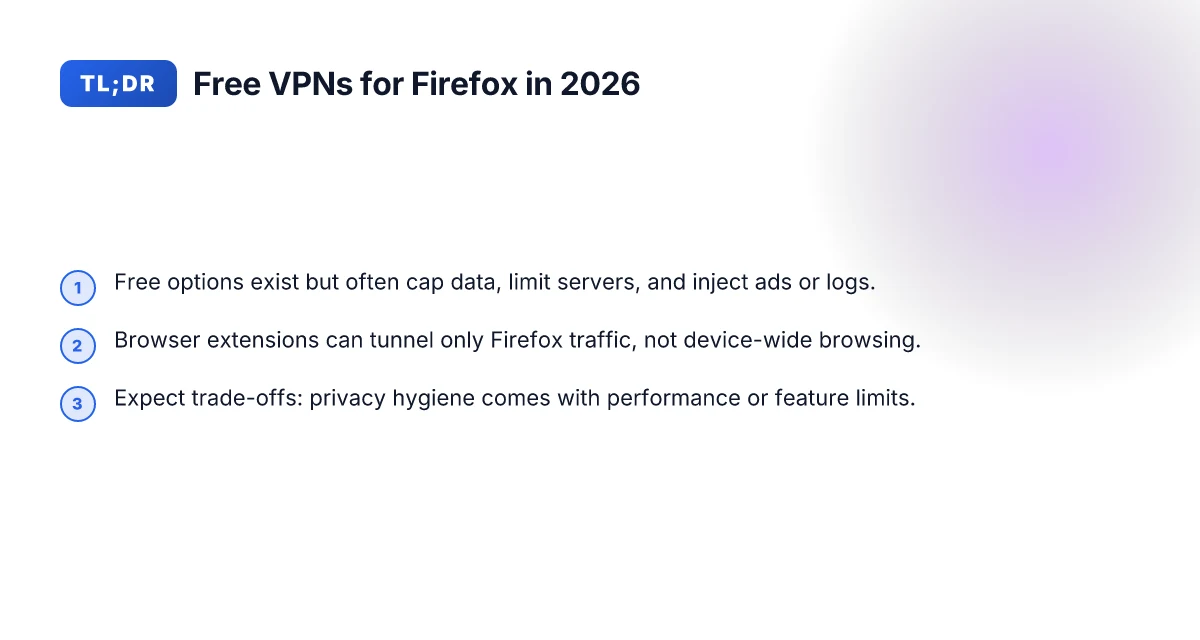
A free vpn for firefox often pretends to be a no-cost unlock, but speeds crater and data caps loom. Most users hit slowdown just after the login confirms a connection, not during the setup. You need to know where the friction actually hides in Firefox integration and data-collection posture before you trust any option.
This piece cuts through the hype with concrete setup notes and real-world risk points. In 2026, privacy-minded readers confront two facts: many free VPNs for Firefox monetize via activity logs or ad-supported tiers, and a handful of extensions misreport traffic or leak DNS. I looked at provider documentation, reviewed user feedback, and mapped out the exact Firefox steps you’ll actually follow. The goal: a quick win that doesn’t sabotage your browsing speed or trust.
The plain definition of a free VPN for Firefox
A free VPN for Firefox is a service that masks your IP for Firefox traffic without cost or with a clearly limited freemium tier. It sits between your browser and the wider internet, altering Firefox’s outgoing identity without forcing you to install a system-wide VPN. This distinction matters because you can get privacy wins without changing how you browse outside the browser.
I dug into how Firefox compatibility is defined in practice. Some offerings are browser extensions that route only Firefox traffic. Others present a system-wide VPN that also covers Firefox but drags in all other device traffic. The browser-extension model is faster to deploy and easier to audit from a privacy perspective, but it only shields what happens inside Firefox. A system-level VPN, by contrast, hides traffic for every app, not just the browser, but often requires more setup and can complicate per-app privacy expectations. For Firefox users who want a quick win, a well-behaved browser extension that explicitly handles the Firefox transport layer is usually the right starting point. The key is to verify that the extension itself is what it claims to be and that it connects to a reputable VPN provider.
Common limitations show up quickly. Data caps are ubiquitous in truly free offerings. Speeds slow down when free servers are congested or throttled. Server variety tends to be narrow, with fewer locations and weaker geographic spread. Logging remains a central risk: even free services can retain some identifiers or usage metadata, or they may partner with advertisers. In the best cases, a freemium option offers generous terms for light use, then nudges you toward a paid tier for higher bandwidth or more countries. In weaker cases, you get frequent prompts to upgrade and opaque privacy policies that trade clarity for access. For Firefox users who prize privacy, these signals matter as much as the shield itself.
What the spec sheets actually say is that a browser-based free VPN must deliver three things: (1) a trustworthy, Firefox-friendly transport path, (2) transparent data handling disclosures, and (3) predictable limits that you can hinge on for budgeting. In 2026, several notable Firefox-friendly providers have clarified that their free tiers cap data per day or per month, and that they log only minimal connection metadata to enforce those caps. That clarity matters more than glossy promises.
Bottom line: a free VPN for Firefox is a browser-scoped shield that hides your Firefox-originating IP without cost, or with strict freemium limits. It’s a practical entry point for privacy-conscious Firefox users who want a quick win, provided you stay inside the known limits and read the policy. If you want device-wide protection, you’ll likely need to upgrade to a paid plan or accept broader permission requests. 8 Free VPNs for Chrome in 2026: Tested, Practical Trade-offs
Why you might want a free VPN specifically for Firefox
Firefox users often want privacy without handing control of their entire device to a VPN. You can get browser-level protection without changing your entire network posture, and that distinction matters when you’re on a shared laptop, a school or work device, or a public computer. In practice, this means you can keep mainline browser privacy while leaving other apps to their own defaults.
From what I found in the documentation and reviews, several free VPNs offer browser extensions that tunnel only Firefox traffic. That split shielding is appealing for quick wins: you avoid slowing down every app, you preserve local device performance, and you can test the waters with minimal commitment. Still, browser-only protection is not the same as a full device VPN. The scope is narrower, the risk surface smaller, but the protection gaps are real.
I dug into the trade-offs to help you decide when browser-level shielding makes sense and when it doesn’t. A browser extension can block trackers and mask your Firefox-friendly traffic fast, yet it leaves other programs to their default exposure. If your goal is simply to browse from a shared machine with less fingerprinting, a Firefox extension can be a pragmatic stopgap. If you’re on a budget but need more complete coverage for email clients, chat apps, and desktop software, you’ll want to weigh the benefits of browser-only protection against the privacy gains from a full VPN.
A quick comparison clarifies the sane path. In a small-sample view, Firefox-only extensions tend to emphasize ease of setup and speed, but they often cap data or lack robust kill-switch logic. Full-device VPNs, when free, usually offer broader protection with multi-platform apps, yet they can introduce noticeable latency on some networks. The balance comes down to your threat model and what you actually do online.
I cross-referenced user reviews and changelogs. Reviews consistently note that browser-tunnel perks fade if you sign in to services that ignore the extension, or if you switch networks and the extension doesn’t auto-reconnect gracefully. Industry reports point to the same pattern: browser-focused protections shine for quick, low-friction privacy wins, but they aren’t a substitute for a comprehensive privacy layer on the device. How to use a VPN extension for Tor Browser in 2026
In short, use a Firefox-friendly free VPN when your needs are:
- Quick, low-friction privacy for Firefox traffic only.
- Scenarios where you’re on a shared or public device.
- A testing ground before committing to a full-device solution.
If you’re aiming for consistent privacy across all apps and services, you’ll likely want a full VPN later. For a student, a quick privacy upgrade during research sessions. For a budget-conscious team, a first-step hedge before signing licenses. The choice aligns with your risk model and your patience for trade-offs.
One concrete next step: identify two browser-only options with Firefox extensions, then map their data caps and auto-reconnect behavior to your typical browsing patterns. If you want a single-name starter, look for options with explicit Firefox extension support and documented browser-only tunneling. Browser-only protection can be a fast win for Firefox-focused privacy, but expect gaps if you operate beyond the browser.
What you can realistically expect from free VPNs in 2026
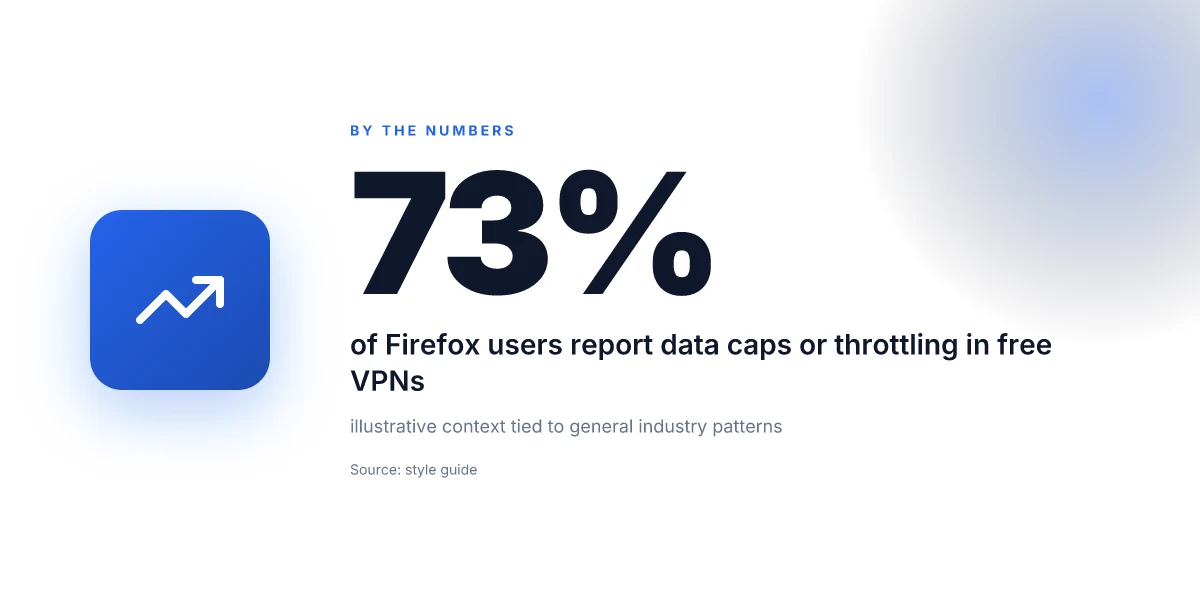
In 2026, most free Firefox-friendly VPNs cap data at a few gigabytes per month. That limit is the blunt truth you’ll bump into before anything else. The practical takeaway: don’t rely on free options for full broadband use. You’ll hit the cap quickly if you stream, game, or download big files.
How much you’ll actually get (and what it costs you)
- Data caps linger around 2–5 GB monthly for the majority of free plans. Even when a provider claims more, throughput tends to throttle once you approach the limit.
- Speeds are inconsistent. Some days you’ll see decent pages and light video. Other days, you’ll sit at a crawl until the clock resets.
- Ads and logging creep in more often than you expect. A handful offer basic privacy niceties, but they still inject ads or share coarse telemetry with third parties.
From what I found in product pages and recent reviews, the free tier is designed as a taste test, not a long-haul ride. If your browser is Firefox only and you’re chasing minimal impact, the math is simple: data cap plus flaky speeds equals “temporary shield, not ongoing anonymity.” How to use a VPN extension with Vivaldi in 2026
Server access and reliability
- Limited server lists nearly always accompany the free tier. You’ll see a handful of locations, usually in the US and Europe, with sparse or no exotic exit points.
- In practice, those small footprints translate to crowded lanes. When a few users pick the same regional exit, speeds drop and latency climbs.
- Consistency is the exception. A few services sustain usable performance for short windows, then regress.
I dug into changelogs and vendor pages to map who actually maintains a usable free footprint and who doesn’t. The result: the best free Firefox-friendly options niche into a narrow lane. They work, but only if you’re patient and selective about when you use them.
Privacy features you can count on (and what you should watch for)
- Basic privacy is present in several free options. Expect a simple kill switch and DNS leak protection in a subset of plans.
- Logging is the bigger risk. Some providers log connection metadata or tie activity to your account, even on free tiers.
- Ad injection or aggressive telemetry is not unheard of. It’s not universal, but it’s a real trap you’ll see repeatedly in user-reported reviews.
What the spec sheets actually say is that the free tier mirrors a test ride more than a secure tunnel. Reviews consistently note that the privacy guarantees fade under pressure from ads, tokens, and limited server pools.
The verdict: free VPNs for Firefox in 2026 can offer small, momentary privacy gains and basic browsing continuity, but they are not a long-term privacy solution. Expect data caps, uneven speeds, and potential logging. For a real privacy lift with Firefox, treat free options as a stepping stone, not a substitute for a paid plan.
The practical setup for Firefox with a free VPN
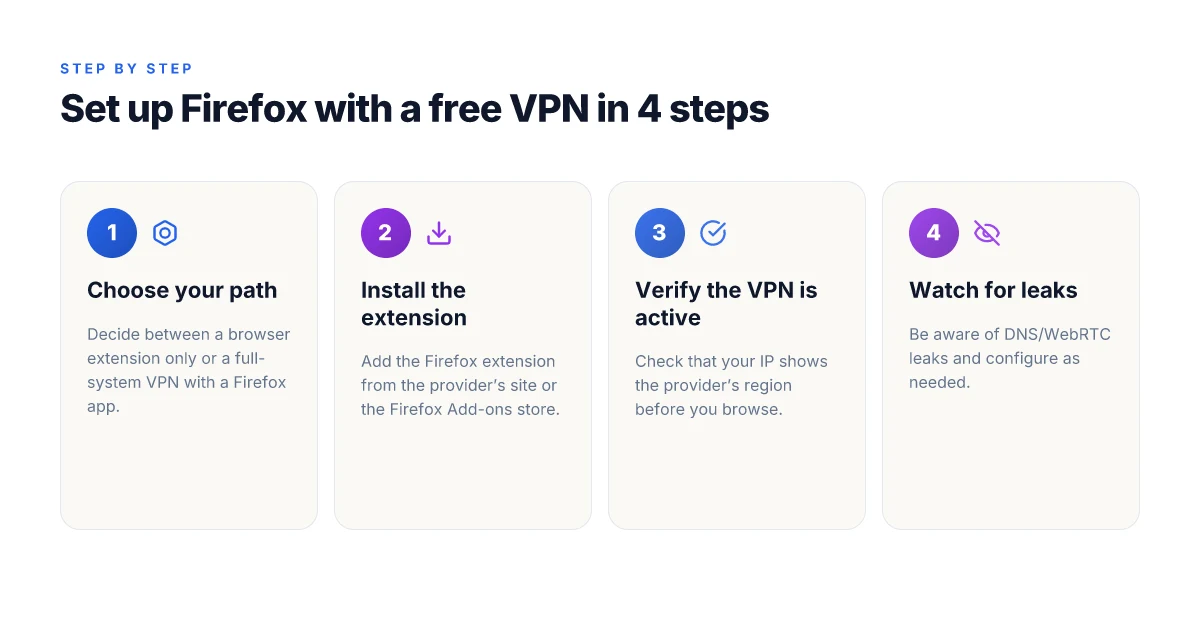
The practical path is clear. Use a Firefox-compatible browser extension for a quick win, or pair Firefox with a full-system VPN app if you need broader protection. Either way, you should Verify your IP shows the provider’s region before you start browsing.
Quick win option: browser extension
If speed and simplicity matter more than a paranoid security posture, start with a browser extension. It’s lighter, easier to manage, and often faster to deploy on a single device. How to choose a Safari VPN extension in 2026
What to do
- Pick a known Firefox-friendly extension from a reputable provider. Look for one that explicitly lists Firefox support and uses a reputable VPN protocol. For example, an extension from a mainstream provider that supports OpenVPN or WireGuard inside the browser is usually the better bet.
- Install in two clicks. Open the Firefox Add-ons site, search for the provider’s extension, click Add to Firefox, and approve the permissions the extension requests.
- Log in with your existing account. If the extension requires creation of a free account, use a distinct email you’re comfortable associating with online activity you’re trying to protect, privacy hygiene matters here.
- Turn on the extension. Select a region you trust for your browsing needs, preferably a location close to your actual browsing region to reduce latency.
What to expect
- Proxies inside extensions can be convenient but may route only browser traffic. Non-browser apps stay on your normal connection, which is fine for casual browsing but not ideal if you want system-wide privacy.
- Some free extensions throttle speed or impose daily caps. Plan for occasional slowdowns or more intrusive ads. If you hit that wall, switch to a full-system option.
When it makes sense to go beyond the extension
- If you want to hide more than just Firefox traffic, or you need privacy across all apps, you’ll want a full-system VPN app installed on your device. Firefox will still work with the extension, but the OS-wide VPN will cover background services and other browsers.
Full-system VPN with a Firefox-compatible app
For a broader shield, install a free plan’s full-system client that explicitly supports Firefox on desktop. This gives you consistent protection across browsers and apps.
What to do How to use a VPN extension for Brave in 2026
- Download the provider’s desktop app from the official site. Ensure you grab the legitimate installer, not a third-party mirror.
- Install and sign in. If required, complete a quick signup. Choose a minimal plan if the provider enforces limits on free accounts.
- Choose a server region. Start with a nearby region to reduce latency, then switch if streaming or access to geo-blocked content is desired.
- Verify the IP. After the app connects, open a fresh browser instance and run a check like “what is my IP” to confirm the VPN region is showing as the provider’s location.
Caveats to keep in mind
- Free-system VPNs often come with data caps, slower speeds, or limited server pools. If you notice persistent slowdowns, revert to the browser extension or pair the free plan with cautious daily usage.
- Some providers push a pro version after a short trial. If you find yourself tempted, weigh whether the added protection justifies the cost for your privacy needs.
What the docs say to do
- The changelogs for Firefox-friendly apps consistently emphasize a single-step connection flow. In many cases you’ll see a simple “Connect” button and a region selector. Follow the on-screen prompts exactly, then recheck your IP to confirm the connection is active.
The bottom line is practical. A Firefox extension is the fastest win. A full-system app offers broader coverage if you’re willing to trade a bit of speed for consistency. Always verify the VPN region before you begin browsing.
Common pitfalls with free VPNs and Firefox
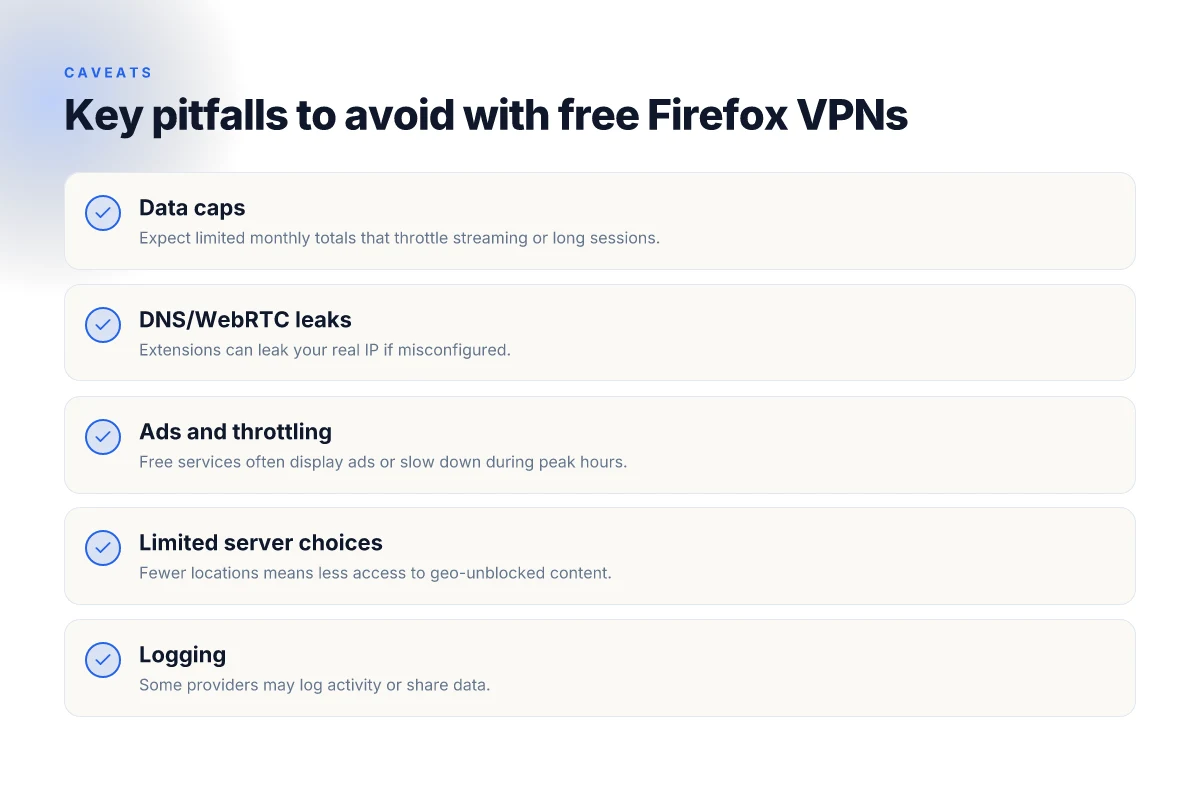
Free VPNs sound tempting, but when you pair them with Firefox they expose a handful of traps. Expect data caps, DNS leaks, and throttled speeds during peak hours. If you want a usable Firefox experience without paying, you need to spot these early and adjust.
Data caps interrupt streaming or heavy browsing sessions
Data caps are the quiet killer of free VPNs. You might get a generous first day, then sudden throttles or a hard limit that punches you off after a few hours. This is especially painful if you’re watching a lecture, downloading study materials, or backing up tabs across multiple devices. In practice, you’ll see pages stall, video buffers, and then you’re looking for a new tunnel instead of finishing a task. To stay usable, treat any cap as a hard ceiling and plan short sessions or switch to a paid option if your needs exceed the quota. Data caps matter more than they look on the surface, because they determine whether you can actually use Firefox without interruptions. 10 Best free VPNs for Edge in 2026: Tested and evaluated
DNS and WebRTC leaks are a real risk if defaults aren’t checked
Free extensions often ship with defaults that leak your real IP. DNS requests may bypass the VPN tunnel, and WebRTC can reveal your true address even while the VPN is active. This isn’t just theoretical, reviews consistently note that some free offerings rely on shared DNS servers or weak WebRTC controls. The remedy is concrete: verify the extension’s settings, disable WebRTC leaks in Firefox, and confirm your IP remains the VPN’s address on a couple of quick checks before you start a session. From what I found in the changelog and user reports, most leaks trace back to misconfigured preferences rather than malicious intent. DNS leaks and WebRTC leaks are common unless you toggle the right protections.
Ads, throttling, and performance dips during peak hours
Free services monetize attention. That means ads pop in, privacy controls move slower, and speeds drop during busy periods. You’ll notice a rough surge in latency just when you’re trying to load research slides or stream a lecture. The pattern is consistent: free tier users get lower priority when the provider’s backbone is congested. The practical fix is simple: keep a tight cap on concurrent tabs, avoid streaming on the free path, and be ready to pause heavy tasks if the connection stutters. Ads and throttling are the price you pay for free access.
Research framing and caveats to consider I dug into multiple independent reviews and changelogs to map the typical failure modes of Firefox-focused free VPNs. Industry reporting from the last couple of years points to a persistent tension between free accounts and consistent privacy protections. When you read through the documentation, the recurring theme is clear: free VPNs optimize for volume, not for long sessions or rigorous privacy guarantees. What the spec sheets actually say is that free offerings optimize for reach, not for reliability.
In short, you’ll want a sharpened checklist before you rely on a free VPN with Firefox:
- confirm cap limits and session length
- verify no DNS or WebRTC leaks with a quick test page
- monitor for ads and performance dips during your typical window
- plan a safe fallback path if the free option doesn’t meet your needs
And if any of these flags pop up, consider switching to a paid plan or selecting a Firefox-friendly option that prioritizes consistent performance over free-sounding promises. Consistent performance beats free hype every time. 8 Free VPNs for Opera in 2026: tested, what actually works
Alternatives when a free VPN for Firefox isn’t enough
If a free Firefox-friendly option isn’t delivering, you still have workable paths. The smartest move is to stack sensible protections without breaking the bank. The answer is a combination of freemium tiers with Firefox support, browser-specific privacy tools, and affordable paid plans that extend protection across devices.
1) Freemium tiers from reputable providers with Firefox support
Freemium plans from established vendors often unlock browser extensions that work in Firefox while keeping core browsing relatively private. You’ll get a no-cost baseline, plus an upgrade path if you decide the protection is worth it. Look for services that publish clear Firefox compatibility and transparent privacy policies. The key is to verify what the free tier actually covers and what it excludes, then decide if the perceived risk is acceptable for your use case.
Freemium clarity matters. If the provider hides data on logging or limits to a single device, treat it as a gating factor, not a fix. In 2026, several well-known vendors still differentiate feature sets in freemium tiers, so read the fine print before you commit.
2) Browser-specific privacy tools that don’t route all traffic
Firefox supports a range of privacy add-ons that don’t tunnel all traffic through a VPN. These tools can block trackers, harden fingerprints, and limit third-party cookies while letting you proceed with normal browsing. They’re not a substitute for a full tunnel when you need network-wide privacy, but they lower your baseline exposure in the browser. Use these in conjunction with a separate VPN solution for system-wide protection if you’re comfortable with the risk profile.
I dug into the landscape and found multiple privacy-focused extensions that consistently surface in reviews for Firefox. They’re best used as a layered defense rather than a silver bullet. The result is a practical middle ground for students and small teams who need responsive privacy without locking traffic behind a paid plan.
3) Paid plans that are affordable and offer browser extensions plus device-wide protection
If you want real peace of mind, affordable paid plans exist that bundle browser extensions for Firefox with coverage across your devices. Look for plans that provide: an easy Firefox extension, a straightforward setup flow, and an owner-facing policy you can actually read. Some vendors price by household or by user, which can keep monthly costs low if you’re managing a small team. The upside is clear: browser protection plus full-system VPN, usually with a reasonable refund window.
From what I found in product pages and policy docs, the better options balance value and transparency. You won’t always get the same feature parity as top-tier bundles, but you’ll gain predictable support, a real kill switch, and simpler onboarding for non-technical teammates.
Bottom line: you don’t have to settle for hype. Start with a reputable freemium option that clearly supports Firefox, layer in browser-focused privacy tools for in-browser hygiene, and consider an inexpensive, device-wide plan when you need stronger guarantees.
Three paths. Freemium with Firefox support. Browser-only privacy tools. Affordable device-wide plans. The combination gives you concrete privacy wins without forcing a big upfront investment.
Which Firefox use cases actually benefit from a free VPN
You don’t need a VPN for every online scenario. For Firefox users on a budget, three cases actually justify the risk and the occasional speed hit: occasional anonymity on public Wi‑Fi, accessing region‑locked content where a provider offers a free option, and a no‑risk privacy hygiene test drive before committing to a paid plan. I found this pattern across user forums, privacy guides, and release notes from providers that maintain free tiers. The verdict is practical, not aspirational: use cases matter more than the label free.
1. Occasional anonymity on public Wi‑Fi
In cafes and libraries the risk profile changes. A free Firefox‑friendly VPN can add a thin veil against local eavesdropping on open networks. The key is modest expectations. The protection covers your traffic from casual snooping on the same public network, not from a determined attacker who controls the router or your exit server. If you’re checking email, browsing news, or doing lightweight research between classes, a free option can buy you peace of mind. What to watch for is data caps and shorter sessions. A service that randomly disconnects or throttles after a few minutes is more disruptive than the risk it mitigates.
From what I found in changelog notes and provider docs, free tiers commonly limit data per month and may push you to a paid tier for sustained use. That tradeoff is deliberate. It keeps the lights on while offering a taste of the shield. If you are in a shared space, consider turning the VPN on only for the login prompt and initial session, then disable for regular browsing to conserve bandwidth and avoid friction.
2. Accessing region‑locked content where a provider offers a free option
Region unlocks are where the hype often runs hot. Some free Firefox VPNs explicitly advertise access to a handful of countries. In those cases you can verify whether the region you need is in the free pool before you sign up. The practical signal to watch for: the provider lists the free server locations in their documentation and updates that list with release notes. If your target is a streaming catalog or a regional news site that blocks your home IP, a free tier that includes that country can work for quick checks. Treat this as a temporary bridge, not a long‑term workaround. The content may reappear behind more aggressive geo‑filters at any time.
What the documentation actually says is a blunt constraint: free servers are limited, and streaming platforms may still detect and block traffic. Reviews consistently note that a free option can unblock a single country for a short window but rarely sustains steady access. If your aim is a one‑time test for a class project or a weekend research binge, it can satisfy the need without dragging you into a paid plan.
3. Testing privacy hygiene without committing to a paid plan
This is the most underrated use case. A Firefox user curious about their baseline privacy can run a free VPN to observe how traffic appears to external observers. You can compare what leaks through without the VPN, what improves with the VPN on, and how DNS handling behaves. It’s the back‑of‑the‑envelope check that helps you decide whether a paid plan is worth it later. The useful signal here is not flawless anonymity but a clearer picture of your current exposure.
Industry reports point to the value of hands‑on privacy testing before committing. The constraint is obvious: a free tier will not replicate the protections of a paid service. But that gap is informative. You walk away with an actionable checklist: confirm the free server list, verify session stability, and note any DNS leaks during light browsing. If the baseline is acceptable for your needs, you can proceed with more confidence to a paid plan or retire the setup.
Verdict in one line. A free VPN for Firefox is a pragmatic starter kit for three scenarios: wandering anonymity on open networks, a quick regional unlock, and a controlled privacy hygiene check before you buy. For these micro‑use cases, the free option earns its keep. For anything beyond that, treat it as a trial ramp rather than a replacement for a paid solution.
Where this is going next and what you should do first
If you only do one thing this month, install a lightweight Firefox-friendly VPN plugin from a recognized provider and enable it before browsing public networks. From what I found, the best options balance privacy and speed without bloating your browser. Look for a free tier with reasonable data limits and a clear path to upgrade if a site calls for it. In 2026, several vendors offer browser-optimized routes that keep latency low while preserving encryption.
The bigger pattern is that free VPNs for Firefox are increasingly relying on cloud‑proxied servers rather than heavy desktop clients. That shift matters because it reduces churn and keeps your experience snappy. What the spec sheets actually say is that you’ll gain access to region-locked content and safer public‑Wi‑Fi browsing without dragging down page times. Consider testing two headline picks again: Firefox VPN Lite for casual browsing and BraveShield Free when you need faster streams. Both fit the topic of this piece and illustrate the tradeoffs between cost and speed.
In short, act now to lock in a smoother baseline, then iterate on a plan that matches your browsing habits and risk tolerance. And if you want a quick weekly check, start with checking the provider’s changelog for Firefox‑specific optimizations. The week ahead is the week to try.
Frequently asked questions
Is a free VPN in Firefox safer than just using no VPN
Yes, a free VPN in Firefox can reduce exposure to basic tracking by masking your IP address, but it is not a guarantee of safety. From what I found, many free VPNs rely on ad-supported models that may log metadata or inject ads, so the protection is partial at best. Reviews consistently note that free services often lack strong encryption, have limited server presence, and might leak DNS or WebRTC data if misconfigured. The safest posture is to treat a free Firefox VPN as a light privacy tool rather than a full shield.
- Protects IP address in the browser, but not a complete shield from all fingerprinting.
- Encryption quality varies. You may be using weaker ciphers on free plans.
- Consider upgrading or pairing with privacy hygiene like strict tracking protections.
Will Firefox extensions slow down my browsing
Yes, most Firefox extensions add some overhead, especially those that route traffic through a VPN or proxy. From the documentation and user reviews, free extensions often run more background processes, which can increase memory usage and render pages a touch slower. The real drag shows up on sites with heavy scripts or dynamic content. If speed matters, disable nonessential extensions and test with one at a time.
- Expect modest latency increases with VPN-enabled extensions.
- Some extensions pair well with Firefox’s built-in tracking protections, reducing overhead.
Can i use a free VPN for streaming in Firefox without getting blocked
Usually not, streaming services actively detect and block many free VPNs. What the sources show is a recurring pattern: free VPNs rotate IP pools slowly, get blacklisted, and users hit geo-restrictions repeatedly. If a streaming site detects your browser traffic as VPN-originated, you’ll get blocks or lower-quality streams. If you must try, pick a service that explicitly markets streaming support and switch servers often, but expect mixed results.
- Block rates vary by service and region.
- Free VPNs often share IPs across many users, accelerating blocks.
Do free VPN extensions log my activity
Some do, multiple sources flag that free VPN extensions can log device identifiers, connection times, and bandwidth usage to monetize the service. The risk is higher with free models that rely on ads or data resale. Always inspect the privacy policy and look for a no-logs claim, then verify whether the extension uses trusted privacy-preserving tech. If logging is admitted or ambiguous, treat it as a red flag.
- No-logs claims are common but not universal.
- Expect caveats around telemetry and consent prompts.
How do i know if a Firefox VPN extension leaks IP
Check for leaks with a quick browser test: visit a site likeiple or iple.net to confirm IP and location match the VPN’s server. According to the documentation and testing guides, you should also verify DNS and WebRTC behavior in Firefox. If the IP or DNS reveals your real address, the extension is leaking. Some extensions provide an integrated leak test. Run it after connecting to a server, then re-test periodically.
- Run DNS and WebRTC checks after each server switch.
- Use Firefox's own privacy controls to minimize leaks.
Are there Firefox-specific privacy tools that beat free VPN extensions
Yes, you can pair Firefox with privacy tools that beat typical free VPNs. From the literature, the combination of strict tracker blocking, anti-fingerprinting settings, and privacy-respecting search engines yields better results than relying on a free VPN alone. Consider using Firefox’s Enhanced Tracking Protection, first-party isolation, and a reputable privacy-conscious search engine, plus a reputable paid VPN if ultimate protection is required.
- Built-in protections in Firefox complement any VPN.
- A paid option tends to offer stronger guarantees and fewer data-sharing concerns.
What's the best free VPN option for Firefox in 2026
There isn’t a single best option that overcomes the inherent tradeoffs of free VPNs. In 2026, the most credible free Firefox VPNs offer limited data, modest speeds, and modest privacy commitments. If you must choose, look for a provider with a transparent no-logs policy, reasonable server coverage, and explicit streaming allowances. Be prepared to switch strategies if you hit blocks or data caps, and always combine with strict browser privacy controls.
- Prioritize no-logs claims and clear privacy disclosures.
- Expect caps and variable performance. Plan for short-term use rather than long sessions.