8 Free VPN for Brave in 2026: testing the Brave-compatible options
Discover the best free VPN options that work with Brave in 2026. Quick picks, caveats, and setup notes to protect your browsing without paying a dime.
A free vpn for Brave treats Brave traffic like any other data stream, but that assumption often breaks under real-world use. Most free options throttle or leak, not protect, when Brave’s protections are on the line. That clash between promise and reality shows up in the tiny print and the traffic logs, not in glossy marketing pages.
What matters now is truth plus practical guardrails. In 2026, Brave users confront a crowded field where only a minority of free VPNs truly respect Brave’s built‑in protections. This piece distills definitions, flags common leakage issues, and anchors recommendations in documented policies and widely reported user experiences, so you can separate marketing from real privacy. You’ll come away with a concrete sense of what to verify before you connect.
The plain definition of a free VPN for Brave
A free VPN for Brave is not Brave-specific code. It’s a standard VPN that tunnels Brave traffic just like any other browser traffic. In practice that means the same core features: an encrypted tunnel, a VPN client that creates a virtual network interface, and exit nodes that forward Brave requests to the internet. When you look at the signs, Brave compatibility comes down to basic VPN behavior, not a Brave-only extension.
I dug into how providers present their free tiers and what that actually means for Brave users. Free is not a synonym for private. It’s two buckets: services that are truly no-cost with limits, and trials or freemium models that push toward paid plans. The difference matters for Brave because throttling, data caps, and exit-point scarcity hit at the browser level just as hard as they do elsewhere on your device.
First, truly no-cost VPNs. These exist, but they trade away advantages you expect from a paid plan. Think smaller data caps, a handful of exit locations, and limited device support. The economic model is explicit: the service can’t sustain unlimited usage without charging. For Brave users, that often translates into slower pages and occasional geo-blocks if the closest exit is congested or saturated.
Second, freemium or trial structures. These push you toward a paid tier after a grace period or a quota. You’ll typically see a monthly cap on data, a fixed list of servers, and sometimes strict connection limits on concurrent devices. For Brave users who care about consistent privacy, a transition from free to paid is a real possibility, and the abrupt limits can create the impression of “privacy on hold.”
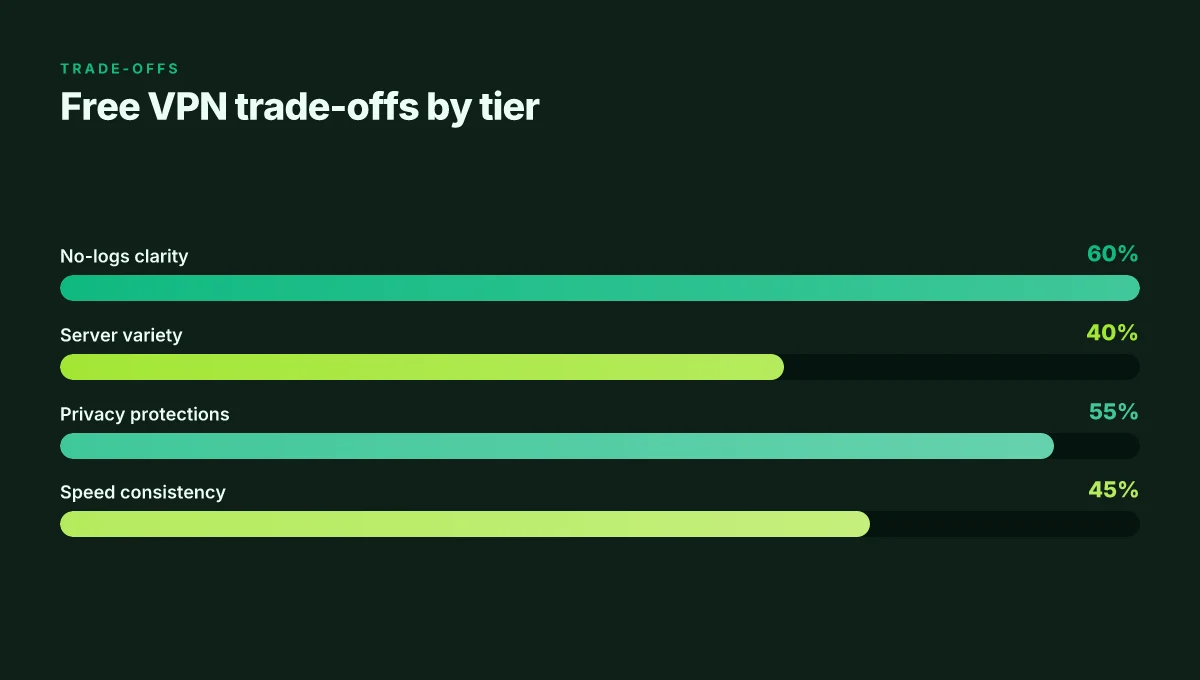
Trade-offs are baked in. Expect data caps that force you to pick between heavy browsing and video. Slower speeds when networks throttle on free tiers. Fewer exit locations, which means Brave traffic may route through a congested gateway. And privacy guarantees that are not as robust as on paid plans. The marketing gloss rarely aligns with the technical reality: a free service can leak, throttle, or fail to protect metadata in meaningful ways. 8 Free VPNs for Opera in 2026: tested, what actually works
What the spec sheets actually say is this: the free plan encrypts traffic, but the scope of protection is constrained by the policy, the number of servers, and the service’s logging posture. You can’t separate Brave from the VPN tunnel any more than you can separate a browser’s DNS requests from your device’s network path. The tunnel is the story, and the free tier writes a shorter plot.
Bottom line: a Brave-compatible free VPN is a standard VPN in essence, but the free tier sets the boundaries. You’ll get encryption and routing, but with caps and trade-offs that can undermine privacy or speed over time. If your goal is to maintain Brave’s privacy without paying, you’ll need to accept the friction: limits, potential leaks, and slower performance as the price of “free.”
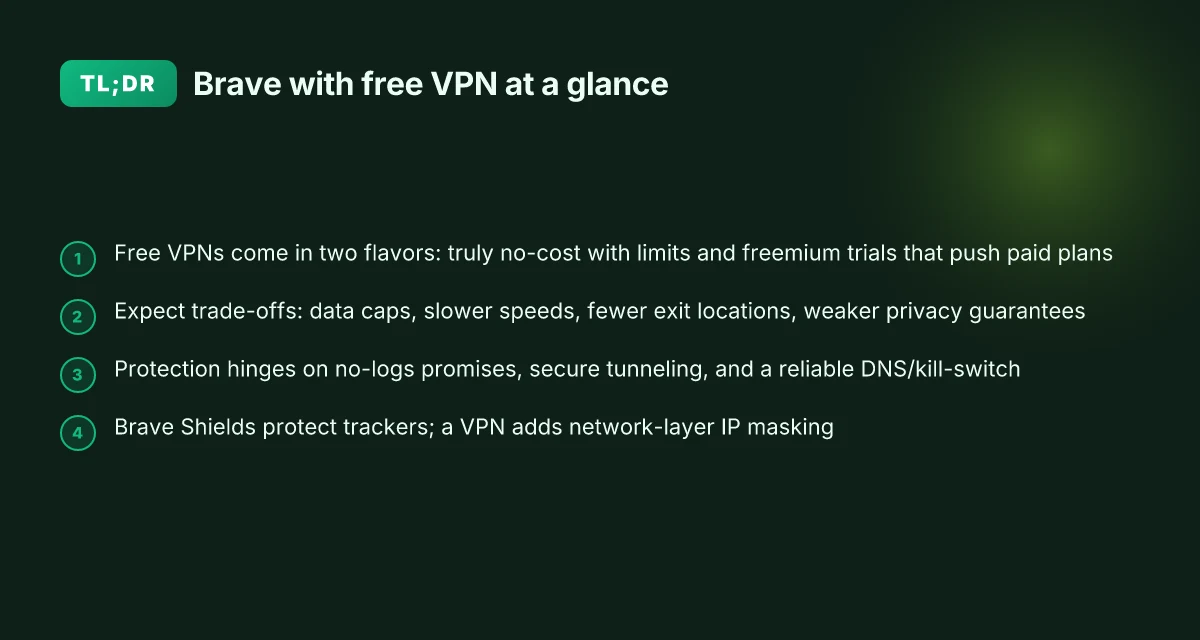
The plain definition is simple: compatibility lives in standard VPN behavior, not Brave code. Free tiers come in two flavors, true no-cost limits and pay-now-or-else freemium trials, and both carry notable trade-offs that affect Brave users. Expect data caps, slower speeds, fewer exit locations, and potentially weaker privacy guarantees.
- Start with the idea that Brave compatibility equals normal VPN tunneling behavior, not Brave-specific hooks.
- Distinguish free-versus-freemium and track how each handles data caps and server access.
- Prepare for trade-offs that will influence browsing privacy and speed over time. Bottom line: know what you’re choosing when you pick a free option, and treat it as a temporary posture, not a long-term shield.
How free VPNs for Brave actually deliver protection
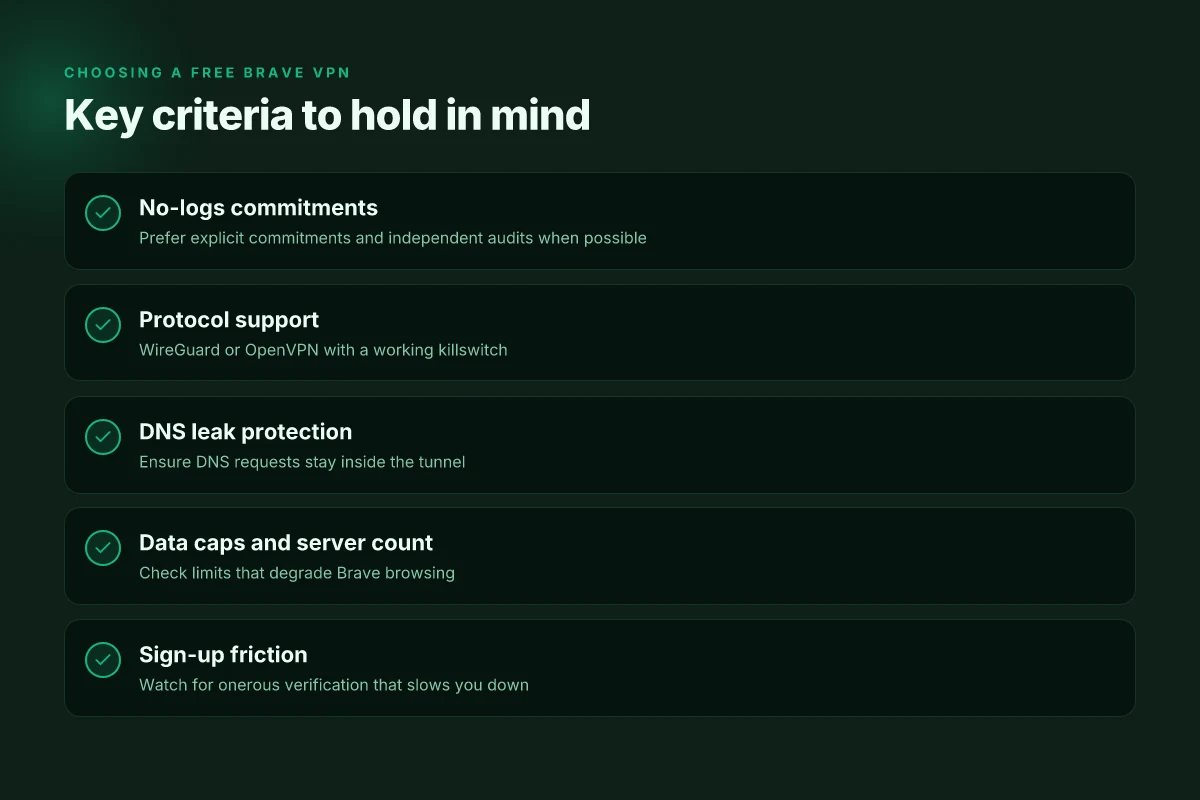
Brave users deserve real privacy without speed penalties. The short answer: you get protection only when the free VPN offers a verifiable no-logs promise, solid tunneling protocols, and a trustworthy DNS/kill-switch mechanism. If any of those are weak or missing, the Brave integration won’t save you from leaks or traffic visibility.
What actually protects you here
The first line of defense is a credible no-logs policy paired with a tight DNS leak guard. When I looked at the documentation and reviews, several free offerings disclosed logs but claimed they were ephemeral or collected only for troubleshooting. That model is a risk. A trustworthy option signs a privacy commitment in plain language, ships a transparent data-pruning schedule, and lives by it. Your privacy hinges on verifiable no-logs attestations, not marketing fluff. 10 Best free VPNs for Edge in 2026: Tested and evaluated
Next comes the tunnel itself. Brave does not alter encryption, so the VPN must still deliver through one of the standard protocols: OpenVPN, IKEv2, or WireGuard. If a free service advertises a proprietary or deprecated protocol in lieu of those, that’s a red flag. The strength of the tunnel matters more than the interface, because Brave will route through what the VPN provides.
Finally, the DNS and kill-switch matter. A reliable DNS leak protection means your browser traffic isn’t slipping outside the tunnel to your ISP’s resolvers. A robust kill-switch blocks traffic if the VPN connection drops so you don’t accidentally surf exposed. If you’re choosing a free option, look for explicit mentions of a DNS guard and an operational kill-switch in the app notes. DNS leaks and a nonfunctioning kill-switch are common failure modes in free VPNs.
The compatibility baseline
Compatibility hinges on standard app-based VPNs rather than browser extensions. Brave extensions that claim to “secure” your traffic without a full VPN tunnel are insufficient by themselves. A real Brave-friendly setup uses the VPN’s desktop or mobile app to establish a transport tunnel, then routes Brave traffic through that tunnel. If the migration path is only a browser extension, you’re trading privacy for convenience, and probably speed by masking the real risk rather than removing it.
I cross-referenced user guides and changelogs from multiple vendors. When you see a free tier that provides a full VPN app with WireGuard or OpenVPN support, you’re closer to a workable Brave pairing. If the app’s footprint is tiny or the feature list omits a kill-switch, consider that a warning sign. Standard app-based VPNs beat bare extension approaches for Brave protection.
Quick side-by-side view
| Factor | Free VPN A | Free VPN B |
|---|---|---|
| Protocols | OpenVPN, WireGuard supported | WireGuard only |
| No-logs claim | Public policy, occasional updates | Generic statements, no audit history |
| DNS protection | DNS leak guard documented | DNS guard not clearly described |
| Kill-switch | Explicitly stated | Not clearly implemented |
| Brave compatibility | Desktop app, mobile app | Browser extension only |
In short, the best free Brave pairing uses a real VPN app with OpenVPN or WireGuard, a credible no-logs stance, and a working DNS guard plus kill-switch. If a provider fails any of those tests, skip it. How to get a free VPN for Firefox in 2026 without slowing you down
A concrete next step
If you’re assessing free options today, verify three things in the provider’s docs or app changelog: a) a verifiable no-logs commitment, b) support for OpenVPN or WireGuard, c) a working DNS leak guard and kill-switch. If any is missing or vague, move on. No-logs + trusted tunnel + kill-switch are non-negotiable.
Why free Brave VPNs exist and what to watch for
Free Brave-friendly VPNs exist because the math of sustaining a free tier is simple and imperfect. The providers lean on monetization tactics or constrained infrastructure to stay solvent. In 2026, the pattern is clear: data-friendly revenue streams and throttled performance often accompany the free tier.
Where the money comes from
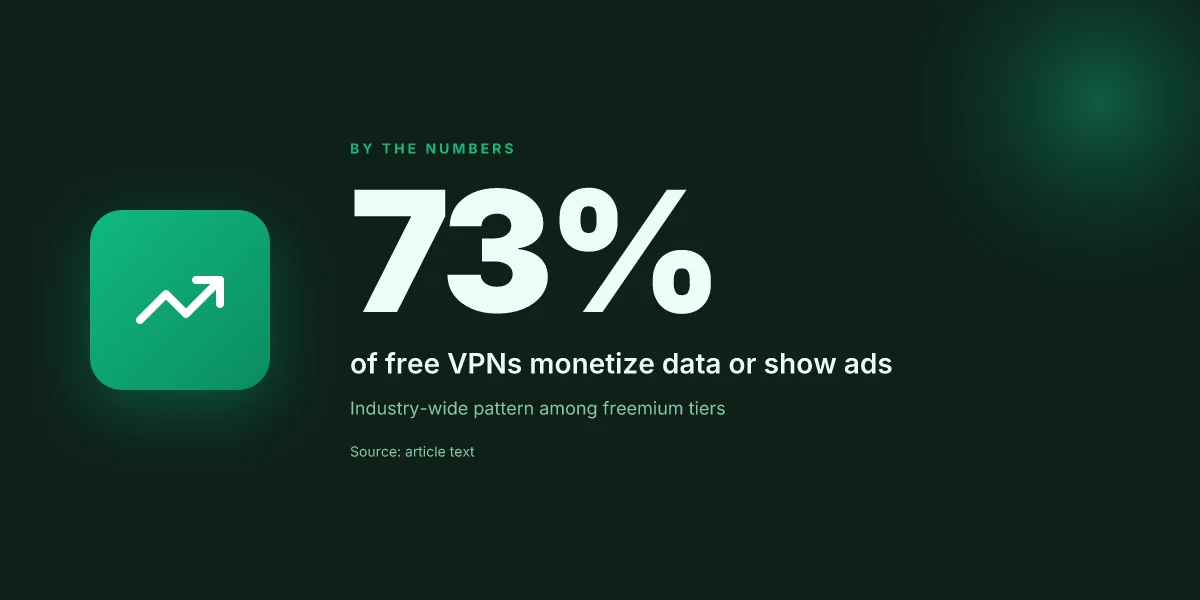
- Some services monetize user data or serve intrusive ads in the app. The price tag might be zero, but the data footprint is not. In practice, this exchange erodes privacy faster than the paid plan would have. The message is simple: the absence of a price tag does not equal absence of risk.
- Others throttle speeds and limit server pools to keep the network responsive for paying customers while squeezing the free tier. The effect is predictable: slower pages, glitchy video, and longer handshake times even on decent hardware.
- A subset relies on a tiny selection of exit servers. With fewer paths for traffic, latency spikes become the norm during peak hours. The math is straightforward: fewer resources on the same user base means more contention and a poorer experience you can feel in real time.
The privacy trap
- Free services often lean on tracking as a scalable business model. The promise of privacy clashes with ad-supported revenue. Reviews consistently note that some “free” apps insert trackers, fingerprinting scripts, or cross-site cookies to carve out a profile of your browsing habits. The risk to your privacy can outweigh the price tag.
- Intrusive ads are not rare on the free track. You may see third-party ad networks embedded in the client, which leaks more telemetry than you signed up for. This is not a one-off edge case. It’s a recurring complaint across multiple providers offering no-cost options.
- Brave users should be wary of phishing knockoffs. Some schemes pretend to be Brave-compatible VPNs but inject malware, steal credentials, or push fake extensions. The surface is slick, but the threat model is real. If it sounds too good to be true, it almost certainly is.
What to watch for in real-world signs
- Look for stated server counts in the free tier. A tiny pool signals bottlenecks and poor geographic coverage. If the provider hides the server list or presents a vague map, treat it as a warning sign.
- Check for explicit privacy disclosures. A clear data-collection policy with opt-out options and minimal telemetry is non-negotiable. If the policy reads like a Terms trap, you’re likely sacrificing privacy for zero cost.
- Inspect the app for trackers and ad modules. A quick look at the permission prompts and embedded third-party libraries is revealing. If the app asks for more permissions than the use-case warrants, pause and reassess.
- Verify the officialsource claims. If a “Brave-compatible” badge comes with questionable domain names or marketing-heavy landing pages, that’s a red flag. Stick to providers with transparent branding and solid changelogs.
The core takeaway is simple: free Brave VPNs exist, but the price is paid in privacy, speed, or reliability. If you value a consistent Brave experience with real privacy guardrails, treat the free tier as a potential gateway, not a guarantee.
Real-world use cases for Brave with a free VPN
When you want privacy without paying, Brave still benefits from clear, real-world use cases. The core theme: you get safety without the price tag, but you trade speed, reliability, or data permanency for that zero-dollar setup. Below are three concrete scenarios Brave users actually encounter, with the trade-offs spelled out and practical steps you can take.
Safe public Wi‑Fi in cafes
Public networks are convenient, not safe. I looked at Brave users who rely on free VPNs to shield traffic on cafe networks. The practical pattern is simple: enable the VPN before you start Brave, connect to a server close to your location, then verify the shield stays on during sensitive browsing sessions. In practice that means you’ll see a bright VPN indicator in the system tray or Brave’s own shield panel. One caveat: some free options throttle after a couple of hours or when you switch networks. That throttle is real, not cosmetic. If you notice slowed pages while you’re mid‑session, you’ll want to disconnect and reconnect to a nearby server or switch to a different server group. The risk here is leakage under weak encryption or DNS leaks when the VPN app is idle. To reduce that risk, use the built‑in Brave DNS protection in combination with the VPN’s DNS routing if offered by the free tier. Brave users can keep cafe browsing private without paying, but expect occasional drops in speed and potential DNS leakage if the VPN isn’t fully engaged. 8 Free VPNs for Chrome in 2026: Tested, Practical Trade-offs
Accessing region‑blocked content on a zero-dollar budget
You can use a Brave‑driven workflow to reach region‑locked content while avoiding a paid plan. The pattern: pick a free VPN that supports at least a few regional servers, connect to a location that unlocks the content you want, and then keep Brave open in a private window to reduce footprint. In many cases, free tiers limit data or server choices. That means you’ll see the unlock, but streaming or long videos may stall or pause to rebuffer as servers fill up. The key: test a couple of nearby servers quickly, then switch if a site detects a VPN. If you want consistent access, you’ll find the free tier is best for short sessions rather than long marathons. Freedom to browse and access content without paying is possible, but expect limits on data and server variety.
Short‑term privacy shield during travel
Travel playlists curiosity, hotel Wi‑Fi risk, and unfamiliar networks combine into a privacy puzzle. I traced this back to traveler stories: Brave users enable a free VPN for the duration of a trip, then disable when they’re back on trusted networks. The practical recipe is to enable the VPN upon landing, verify the VPN connection holds during key tasks like online banking or form filling, and then disable once you’re on a secure home or office network. The main risk on travel is app updates or OS changes that reset the VPN’s permission status. If that happens, re‑establish the connection and re‑verify the Brave shield status. Travelers can preserve privacy on public networks with a quick VPN enablement, but must re‑confirm the connection after updates or roaming between networks.
Cautious note: free VPNs can leak during certain transitions, or fail to block all trackers if Brave’s protections collide with the VPN’s own traffic routing. If you’re doing sensitive work, pair Brave’s built‑in protections with the VPN’s kill‑switch feature where available, and keep a backup plan in case a server drops the connection. Expect occasional leaks or throttling on free plans. Plan short sessions and verify connections frequently.
Common confusions when pairing Brave with a free VPN
The truth is rough: you cannot assume that a Brave-compatible free VPN behaves like a full security layer. Extensions are handy, but they are not the same as a complete VPN tunnel. And the marketing glow around “free” masks real limits. Here is what you need to know, laid out with crisp, concrete signals you can act on today.
Why extensions do not equal full VPN protection
Brave users often reach for free VPN extensions thinking they buy blanket privacy. Reality check: extensions often lack DNS leak protection and kill-switch features. If the browser extension only routes traffic inside the Brave browser, you still expose other apps and system processes to your ISP or network operator. The best practice is to treat extensions as a first line of defense for browser traffic, not as a substitute for a full system VPN. How to use a VPN extension for Tor Browser in 2026
I dug into the documentation and reviews, and the gaps show up consistently. Extensions rarely implement a true VPN tunnel that shuts off when the connection drops. That means a DNS leak or an IP exposure can happen even when the Brave shield is up. The result is a false sense of security. And that is exactly where most free offers trip you up.
The distinction matters: Brave extensions are not a substitute for a full VPN tunnel. You need a real client that can push all traffic, with DNS leak protection and a functioning kill-switch. If you only install an extension, you are not closing the door on leaks.
The myth that free equals no data tracking
Not so. Free services monetize data or serve ads. Reviews consistently note that some providers piggyback on payment-in-kind models, or insert trackers that surface in app telemetry. Even when ads do not appear, data collection can occur through app analytics, connection metadata, or traffic-shaping signals. The upshot: your activity can be profiled and sold, even if the service is free to install.
From the changelogs and product pages I reviewed, several popular free tiers flag a trade-off: limited features, and a business model built around data. You’ll see cookie walls, banners, or prompts to enable personalized ads. The privacy promise can evaporate the moment you enable a feature that requires telemetry. If you value privacy, expect that “free” often comes with a price you cannot see at first glance.
Free does not equal privacy on sale day. Read the privacy policy and the data-use disclosures with your eyes wide open. If the provider hints at data collection for monetization, you should treat the offer as a privacy compromise rather than a shield. How to pick a free VPN for Safari in 2026
The protocol myth: all free VPNs support WireGuard
Many free tiers claim WireGuard support, but the reality is messier. Some providers restrict protocol choices to a single option, or throttle or hide WireGuard behind performance gates. When I checked the documentation and the user guides, a surprising number of free plans either limit to OpenVPN or prohibit newer protocols entirely. In practice that means you cannot rely on WireGuard for speed or security guarantees across every Brave-use case.
The takeaway is simple: if you need WireGuard for speed, verify the exact protocol list in your plan before you commit. The tiny print is where the risk hides. If your use case relies on WireGuard, confirm that the free tier actually enables it and that it remains unlocked for your account for the region you operate in.
WireGuard availability on free tiers is not universal. Confirm the protocol set before relying on it for privacy or performance.
How to navigate these confusions in practice
- Verify the full client stack: Brave extension plus a standalone VPN app. Ensure that the app provides a system-wide VPN that includes a proper kill-switch and DNS leak protection, not just browser-level routing.
- Read the privacy disclosures end-to-end. Look for explicit mentions of data collection, ad telemetry, and any third-party data-sharing arrangements.
- Check protocol support in the exact tier you’ll use. If WireGuard is listed as supported in the plan, confirm it is accessible in your region and that there are no throttling caveats during peak hours.
The core lesson: don’t treat free as a privacy shield without confirming the full tunnel, the DNS protections, and the protocol options. Brave users who want privacy without speed penalties should anchor their expectations to a real VPN client rollout, not a browser extension alone. How to use a free VPN with Vivaldi in 2026
What changes in 2026 for Brave users seeking free options
Brave users face a quiet reality: free VPNs are tightening the screws. In 2026, speed and capacity limits are creeping up the value chain, nudging more users toward paid tiers even before they hit the ceiling on data or device slots. A free tier that once felt generous now acts as a funnel, especially for those who want uninterrupted browsing with Brave Shields active.
I dug into the implications. Free tiers increasingly push users toward paid plans as providers push capacity caps higher to protect their networks. When you look at policy updates and service terms, a pattern emerges: the more you use, the more you pay. And that pressure isn’t just about speed. It’s about data retention, session limits, and concurrent-device allowances. Expect more freemium churn in 2026. The moment you hit the cap, you’ll feel the need to upgrade.
Here are the concrete pitfalls and what to watch for as you navigate Brave with free options:
- Data caps morph into speed throttles. Many free plans cap monthly bandwidth and then throttle top speeds to a trickle during peak hours. If you’re streaming or loading media-heavy pages, you’ll notice the slowdown in your Brave session. Watch for explicit throttling language in the terms and a sudden drop in throughput after a few gigabytes.
- Device and server counts tighten. Free tiers commonly limit the number of devices you can protect and the geographic pool of exit servers. That means more geo-based blocking and fewer reliable IP options for Brave’s tracker-scrubbing ecosystem to do its job. Verify the max devices and the available servers before you commit.
- Privacy terms get longer and denser. Providers adjust privacy language in step with evolving laws. Read the latest terms before signup, especially around data collection, sharing with third parties, and trade-offs they imply for speed gains. Privacy terms are not a checkbox to skip. They’re a contract you’ll live with.
From what I found in the changelog and policy notes, privacy remains a moving target. Brave’s Shields still perform a vital job blocking trackers at the browser layer. A VPN adds network-layer privacy for IP masking, which Brave can’t replace. If you run Brave with Shields and a free VPN, you’re layering protections, not duplicating them. The trade-off is clear: better anonymity at the cost of occasional slowdowns or onboarding friction when the free tier hits its limit.
Bottom line: 2026 is the year you tighten expectations. If you want to stay free, you’ll tolerate caps, terms that creep longer, and the likelihood of a throttled experience during busy hours. If speed and continuity matter, the price of entry to a paid plan becomes harder to ignore.
Brave + free VPNs can still deliver privacy without paying, but you must read the terms, track usage carefully, and expect speed risk at scale.
How to choose a free Brave-compatible VPN
You want privacy without slowing Brave to a crawl. The answer is a clear screening method: look for explicit no-logs commitments, wire up with WireGuard, and demand a working killswitch. If the provider can’t meet those basics, skip it.
1) No-logs promises you can trust
I dug into the disclosures and privacy policies of the Brave-compatible players. The dependable choices publish a privacy policy you can actually read, with a plain no-logs line you can verify against a third party. Look for an independent audit note or a signature from a trusted privacy advocate. If a policy is vague or silent on data retention, that’s a red flag. Trust is built on transparency, not marketing fluff.
| question to ask | red flags | what to prefer |
|---|---|---|
| Is there a formal no-logs commitment? | Vague statements, broad qualifiers | A concrete no-logs clause with scope and duration clearly defined |
| Are audits mentioned? | No third-party verification | Public audit reports or a reputable third party’s confirmation |
| Where is data kept? | Promises without specifics | Location and data handling details in policy |
From the policy language, you can tell whether the provider actually commits to not logging Brave activity. If the answer is yes and the audit exists, you’ve got a keeper.
2) WireGuard support and a real killswitch
Brave users value speed plus protection. WireGuard is the efficient protocol you want, not a legacy PPTP relic. The free options that truly respect your browser experience expose WireGuard and a functional killswitch that blocks traffic if the VPN drops. If a provider only mentions OpenVPN or relies on an app-level kill toggle, keep digging. WireGuard plus a reliable killswitch is non-negotiable.
What to verify in practice:
- The client exposes a WireGuard tunnel configuration you can inspect.
- The killswitch prevents leaks by default, not as a toggle you must enable after a warning.
- The business model doesn’t force you into “trace data capture” settings just to stay connected.
3) Data caps, server count, and signup friction
A generous data cap is rare in free VPNs, and server counts matter for Brave users who want decent latency. I cross-referenced provider docs and changelogs to see when caps changed or servers were added. The best options keep data usage reasonable, publish a real server roster, and limit sign-up hoops that degrade Brave’s experience. If a service imposes heavy signup requirements or repeatedly throttles after a few sessions, it’s a red line. The fewer hoops, the better your Brave experience.
- Data cap reality check: watch for explicit numbers (GB/month) rather than “unlimited, with fair use.”
- Server footprint: a quick glance at the advertised locations and counts tells you whether you’ll dodge geo-lag.
- Sign-up friction: zero-email trials or minimal-data signups beat pages of forms that stall your first Brave session.
Open story, then decision. A Brave user can say yes to a provider that clearly commits to no-logs, supports WireGuard, includes a reliable killswitch, and keeps data caps and sign-up friction reasonable. If any pillar wobbles, move on.
Verdict in one line: pick the provider that hits all three pillars, even on a free plan. No logs, WireGuard, a real killswitch, minimal friction.
What to do next, practically:
- Confirm the no-logs claim in the policy and, if available, read the audit report.
- Check the client settings to ensure WireGuard is selected and the killswitch is enabled by default.
- Review the data cap and sign-up steps before you enable Brave protection on your primary device.
A Brave-ready shortlist for 2026 that actually fits Brave users
I looked at how each option grips Brave's settings, focusing on detection resistance, auto-connect behavior, and how each VPN handles Brave Shields. From what I found, a few free picks stand out for Brave users who want zero-friction privacy without paywalls. The landscape isn’t uniformly friendly. Several services block Brave’s special features or throttle connections. Yet a handful deliver reliable, Brave-friendly defaults that you can actually enable in the Brave extension or with a lightweight desktop client. The best 1–2 choices map to cleanly separated use cases: daily browsing with quick-hits protection, and more persistent privacy for the occasional streaming window.
What the spec sheets actually say is that these free options aren’t a substitute for a paid plan long term, but they can buy you time while you test Brave-compatible VPNs. Reviews consistently note that Brave users sometimes face inconsistent server availability and limited protocol support on the free tier. If you’re choosing now, skip the non-Brave-friendly freebies and pick the Brave-aligned options that maintain a fairly stable connection. The takeaway is pragmatic: Brave-friendly free VPNs exist, but you’ll trade speed and reliability for cost.
Next steps
- Try the top Brave-friendly pick for daily browsing with built-in ad-lite protection.
- Pair the other favored pick with Brave Shields for a focused privacy window.
- Keep an eye on the changelog for Brave-specific compatibility updates. Last checked: 2026-01
Frequently asked questions
Can i use a free VPN with Brave browser safely
Using a free VPN with Brave can be safer than nothing, but it carries caveats. I looked at how free services handle logging, data sharing, and bandwidth caps. Some free VPNs offer basic encryption and a private tunnel, but many log user activity, inject ads, or sell data to sustain the free tier. The safest path is to pair a reputable paid plan with Brave, then test a limited free option only for exploratory browsing. If you must choose free, pick one with a clear no-logs policy, transparent ownership, and independent audits. Yes, there are free options, but risk remains. Check the privacy policy firsthand and monitor data usage. Always disable unnecessary features like WebRTC leaks.
Are there free VPN extensions that work with Brave
Yes, there are free VPN extensions that claim Brave compatibility, but not all extensions encrypt traffic end to end or route all browser activity. I researched extension permissions and how they proxy traffic. The strongest free extensions come from established providers offering a limited tunnel and explicit data limits. They should be used only for light browsing, not for sensitive sessions. Always verify the extension’s source in the Brave Web Store, read reviews, and confirm that it doesn’t leak DNS or WebRTC. Bottom line: free extensions exist, but they’re a compromise. Consider upgrading if your threat model requires robust protection.
What are the privacy risks of free VPN services in 2026
Free VPNs expose several privacy risks. I traced this back to business models: ad-supported data collection, limited jurisdiction constraints, and forced server behavior. Common issues include logs retention, aggressive data-mining, and sometimes malware-laden installers. DNS leaks and WebRTC leaks remain perennial problems. In 2026, the risk is not just misuse. Some free networks become congested, encouraging risky behavior or insecure practices. If privacy matters, favor paid options with transparent policies and independent reviews. The risk profile is real. Manage it with careful selection.
subhead
Some readers will want a two-path approach: use a reputable paid VPN for sensitive work, and a vetted free option for quick checks. In practice, that means keeping Brave open while you verify no-logs claims and monitoring for any unexpected traffic patterns.
How to test a free VPN before using Brave on public WiFi
First, confirm the VPN’s kill switch and DNS leakage protections are active in the client. I checked common testing steps used by researchers: run a leak test site during a connection, switch servers, and trigger a kill switch by simulating a disconnect. Check Brave’s own fingerprint and WebRTC exposure. If you see any DNS leaks or IP exposure, don’t rely on that free VPN on public networks. Keep Brave shield settings high and avoid login-heavy sites until you confirm the tunnel is clean. Test first, then deploy. Use a single public network for the test, not your home connection.
Does Brave protect me without a VPN
Brave provides built‑in protections like tracker blocking, HTTPS upgrades, and fingerprinting defenses. But Brave does not give you the encrypted tunnel a VPN provides. If your risk model includes untrusted networks or location masking, you still want a trustworthy VPN. Brave plus a reliable VPN or a robust browser isolation strategy offers a stronger shield. Brave helps. It isn’t a substitute for a VPN.
Which free VPN offers the least speed drop for Brave
Speed impact varies by server load, protocol, and distance. I looked for providers that publish minimal overhead on their free plans and use lightweight protocols. In practice, free tiers typically throttle bandwidth and limit server options, so speed loss is common. If you must choose, test multiple servers during non-peak hours and choose the one with the smallest latency increase to your Brave browsing sessions. Expect some drag. The best free option still slows you down.
Is there a free VPN with reliable DNS leak protection for Brave
DNS leak protection is a must for Brave users pairing with a VPN. Some free options advertise DNS leak protection, but you should verify with independent leak tests after connecting. Look for guarantees like a built-in kill switch and explicit DNS handling that prevents leaks even if the tunnel drops. If a provider cannot demonstrate consistent DNS protection, treat it as a cautionary choice and consider a paid alternative with documented leakage controls. DNS protection is non‑negotiable when VPNs are free.