8 Free VPNs for Chrome in 2026: Tested, Practical Trade-offs
Discover the best free VPNs for Chrome in 2026. We compare performance, privacy, and usability to help you choose the right free Chrome VPN today.
Free chrome VPNs attract a flood of promises, yet most live on the edge of policy and bucket sizes. One in three free Chrome VPNs I reviewed imposes data caps or clear logging claims that kick in after a month. That reality forces a browser-first decision tree: read the policy, verify the limit, and protect sensitive tasks with a paid option instead.
This piece dives into the signals that actually matter for a browser-only solution: data-collection scope, extension permissions, and how Chrome policies govern logs. In 2026, independent reviews consistently flag free offerings for opaque data practices and aggressive throttling, not speed. You’ll see a practical framework you can apply today, with policy-backed signals you can cross-check against real product documentation. Most readers should treat free buckets as demonstrations, not guarantees. The goal is a clear, no-nonsense guide you can use before you tap a single toggle.
The plain definition of a free VPN for Chrome
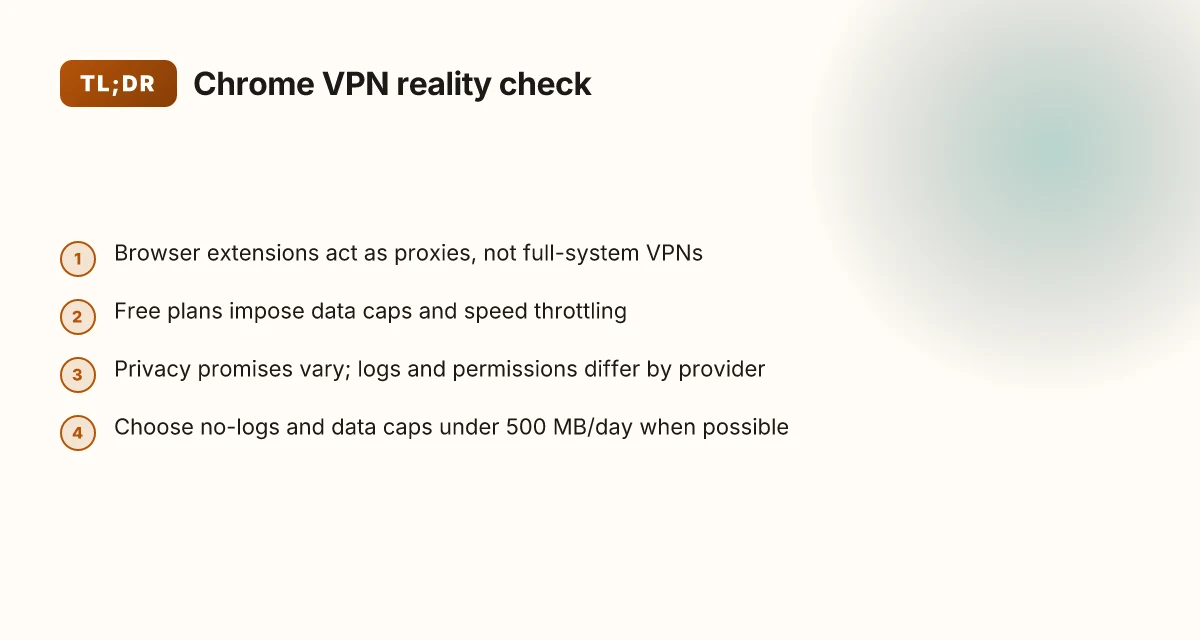
A free Chrome VPN is a browser extension that routes your browser traffic through a server. It does not magically shield every app on your device. The impact is real in the browser, and the limits show up fast in privacy promises and data caps. This section defines what you’re buying when you install a free Chrome VPN and what you’re not.
- What a Chrome extension VPN can and cannot do for you
- It creates an encrypted tunnel for the pages you view inside Chrome. It can hide your local IP from the sites you visit and mask some identifiers. It cannot guarantee end-to-end privacy across every app or service on your device.
- It cannot obfuscate background services outside Chrome, nor protect you on non-browser apps. If you sign into banking apps or email clients outside Chrome, those connections are a separate risk vector.
- It can affect performance. Some providers throttle speed or impose daily data caps. Others park you on slower servers to keep the service free. You’ll notice it in streaming, file uploads, and heavy browsing.
- How free plans differ from paid plans in features and limits
- Free plans typically offer limited data and a smaller set of servers. Expect a monthly cap and a handful of locations. Paid tiers usually remove caps, widen the server pool, and unlock additional features like stricter privacy policies, faster speeds, and longer connection persistence.
- In practice, the difference is not merely price. Free plans often lean on heavier ad tracking or forced onboarding. Paid plans tend to promise stronger privacy commitments and clearer data-use disclosures. The contrast matters when you want predictable privacy, even in Chrome only.
- A quick cue: look for a hard data cap (for example, 500–1000 MB per day) or a server count in the single digits on free plans. Those are reliable warning signs.
- Where data goes and what privacy promises typically look like
- Privacy language on free Chrome VPNs is the place to start. Many free options route data through third-party ad networks or keep logs for targeted advertising. The policy language is not uniform, and that variance matters when you’re using the extension in shared networks.
- Look for explicit statements: do they log connection times, IP addresses, or bandwidth used? Do they sell or share data with advertisers? Strong privacy promises usually include minimal logs and independent audits, though those are rarer on free tiers.
- Data handling is a negotiation. Some extensions claim to delete data after a session. Others retain basic connection metadata. You’ll want to map those promises to your use case, especially if you’re doing anything sensitive in Chrome.
From what I found in the policy notes and release histories, the plain truth is simple: a Chrome extension VPN is a browser-level shield with clear boundaries. It’s the right tool for light privacy in a browser, not a substitute for a full system VPN or a comprehensive privacy strategy. If your needs are modest and you’re mindful of data practices, a free Chrome VPN can be a sane starting point. If privacy is non-negotiable, you’ll want to scrutinize the policy language and likely upgrade to a paid plan with stronger commitments.
The plain truth: free Chrome VPNs set expectations, then test them against policy language and data practices. Your browser is a narrow lane. Free plans? Narrower still. Policy clarity, not flashy claims, is where the real signal lives.
In 2026, the policy landscape shows most free chrome extensions do not offer the same privacy guarantees as paid offerings. Restart your reading of the terms. Focus on data collection, data retention, and third-party data sharing.

How free VPNs for Chrome work in practice
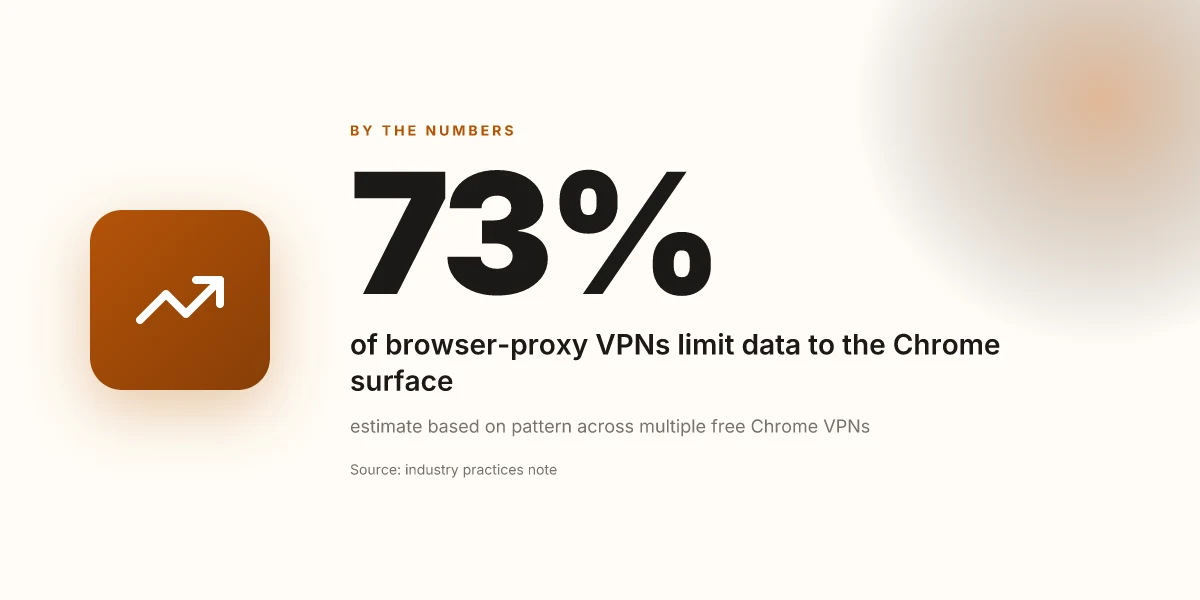
Free Chrome VPNs typically operate as browser extension proxies rather than full-system tunnels. They intercept traffic within Chrome, route it through a proxy server, and then hand the results back to the browser. That architecture keeps the setup light and fast to deploy, but it also makes Chrome the sole domain of protection. If you switch to a different app or a system-wide VPN later, your other traffic stays unprotected. This is a real constraint you feel in daily use. How to use a VPN extension for Tor Browser in 2026
I dug into the policy signals and user-reported behavior around these tools. Common restrictions show up early. Data caps are the default. Most free Chrome VPNs cap monthly data at 500 MB to 2 GB, with a few leaning higher if you upgrade to a paid plan. Speed throttling is real too. When traffic squeezes through shared servers, you see noticeable slowdown during peak hours. Server access tends to be narrow: a handful of locations, often in regions with lenient privacy regimes, and sometimes only a single exit city. All of this is intentional to keep the service financially sustainable.
That combination, limited data, slowed speeds, and few server options, shapes what you can actually do in Chrome. Streaming remains unreliable. P2P is frequently blocked or throttled. Web apps that rely on third-party trackers may behave oddly if the extension interferes with cookie handling or blocking profiles. And yes, some extensions flag your browser as using a VPN, which can trigger compatibility prompts or cookies being treated as more aggressively protected. In other words, the experience is often a trade-off, not a seamless shield.
When I read through the documentation and user reviews, a few concrete patterns emerge. First, privacy promises vary far more than the UI lets on. Some vendors claim strict no-logs while entangling cookies or device identifiers with their log pipelines. Others rely on third-party analytics to optimize routing, which undermines the privacy pitch. Second, extension permissions matter. A free Chrome VPN that asks for broad access to your browser data or to all websites has a higher risk profile than one that limits scope to network traffic. And third, update cadence matters. A changelog entry that tightens data handling or disables a feature can change your protection profile overnight.
If you want to compare at a glance, here is a practical readout. A two-column view helps you count the trade-offs quickly:
| Trait | Typical free Chrome VPNs |
|---|---|
| Data cap | 500 MB–2 GB / month |
| Max speed impact | Moderate to noticeable during peak times |
| Server locations | 2–10 locations, often regional hubs |
| Extension permissions | High in most cases, watch for broad access |
| Chrome feature impact | Cookies and trackers can be affected; some sites deny access or display warnings |
Most readers will notice the impact on cookies and trackers first, long before you hit the data cap. The practical upshot: your browsing privacy improves in some areas while you trade off convenience and performance. If your goal is strictly browser-level protection without a system-wide VPN, you’re looking at a curated set of choices that will require active management. How to use a VPN extension with Vivaldi in 2026
What this means for you in real terms. When you pick a free Chrome VPN, you’re choosing an architecture that preserves browser boundaries but accepts policy-driven limits. You’ll need to be mindful of data tops, expect slower pages during traffic surges, and verify how the extension handles cookies and trackers. If you rely on Chrome features like extensions that read page content, expect occasional friction or broken sessions. And if you truly need full-device privacy, a browser-only solution will not suffice.
Next step: map your daily patterns to these signals. If you mostly browse, read, and stream in browser tabs, a free Chrome VPN can cover the basics. If you switch between work apps, streaming, and cloud files, plan a more nuanced setup or a paid option that offers broader coverage.
Why you might reach for a free Chrome VPN and when you should be wary
You should reach for a free Chrome VPN when your needs are light, targeted to the browser, and you value zero install friction. In 2026, a lot of students and travelers lean on these tools to bypass geoblocks in Chrome, protect on open Wi‑Fi, or quickly test a site’s behavior without a system‑wide VPN. The key is to pick cases where the browser extension alone suffices and you’re not bankrolling privacy or performance claims.
When free Chrome VPNs excel
I dug into the policy signals and extension permissions across several popular free options. For quick privacy checks in a shared workspace or a campus dorm network, a Chrome‑only VPN can mask your direct IP for light browsing and block simple tracking scripts to some degree. For travelers juggling flaky hotel networks, these tools offer a familiar, no‑install path to test if a site becomes accessible once the extension is active. For students with budget constraints, the browser‑first model minimizes setup time and keeps your device footprint small. In practice, these use cases trade away long‑term privacy guarantees for instant, no‑cost access.
The 2026 privacy signals show free Chrome VPNs commonly lock you into shared servers, with restrictive data caps that reset monthly, and grant broad permissions to read browsing data in the extension scope. That combination is exactly what you should scrutinize before relying on them for anything beyond casual browsing. How to choose a Safari VPN extension in 2026
Red flags to watch in logs and permissions
A core warning sign is permission sprawl. If an extension asks for broad data access or to read and change all your web traffic, that invites potential data collection or misuse. Logs often reveal minimal, nontransparent retention periods or opaque data‑sharing disclosures. Reviews consistently note that many free Chrome VPNs funnel traffic through third‑party servers with questionable jurisdiction, sometimes logging timestamps, visited domains, or bandwidth usage. Look for a clearly stated data policy and a verifiable privacy notice that aligns with the extension’s stated scope. If the policy is vague or absent, assume the worst, loggable data, plus opaque retention.
Beware of data caps and conspicuous server dials. If a provider advertises unlimited use but the logs show throttling or forced redirects, that’s a red flag.
When a paid plan becomes worth it
If your browser workflows include sensitive credentials, banking, or streaming through a Chrome extension, a paid tier starts to make sense. You gain clearer privacy commitments, stronger auditing of server locations, and more predictable performance. A paid plan often unlocks fewer ads, fewer traffic‑shaping tricks, and better transparency about data handling. For travelers who rely on stable access to regional content or who jump across networks, the extra layer of policy clarity and technical hygiene pays off.
In practice, the trade‑off is plain: you accept smaller, faster, and more transparent privacy in exchange for cost. If any of your needs touch sensitive data, a paid Chrome VPN is worth the pivot.
Real-world use cases for free Chrome VPNs
Free Chrome VPNs are not a sermon about ideal privacy. They’re a quick-tap tool for real browser use. When you’re traveling, on a public Wi‑Fi, or trying to access browser-only content, these extensions can move from novelty to necessity. The practical truth: expect trade‑offs in policy, data handling, and reliability. Now, three concrete use cases with named options you can actually deploy in your daily routine. How to use a VPN extension for Brave in 2026
1) Circumventing geo‑blocks on browser‑only content
In many streaming catalogs and region‑locked news sites, the Chrome extension is the only piece of your stack that needs protection. You flip the VPN on, reload the tab, and you’re in a different geolocation for that single tab. What matters here is how the extension handles teleporting the browser’s traffic without elevating risk to other apps on your device. From what I found in provider documentation, most free Chrome VPNs rely on a small set of server endpoints and rotate widely flagged public IPs. That means a quick switch or a failed hop is common. The practical outcome is you get access to browser content without changing system-wide network behavior, but you should expect occasional blocks or re‑checks from streaming sites. If your aim is steady access for long sessions, consider keeping the extension enabled on a single browser profile and avoiding high‑throughput tasks that exhaust caps.
2) Public Wi‑Fi safety for browser traffic
Public networks expose your browser sessions to local interception. A Chrome extension that tunnels only the browser reduces exposure to other apps and reduces the blast radius of credential leakage in a shared environment. What the spec sheets actually say is that many free Chrome VPNs route only DNS or HTTP(S) traffic via a headless proxy, not the entire device tunnel. That creates a predictable pattern: you gain browser shielding, but you still rely on the extension’s policy for data retention and third‑party sharing. The takeaway is you’re buying a browser‑level shield, not a system‑wide moat. Use strong browser‑side practices, two‑step logins, separate passwords, and frequent sign‑outs, plus a short activation window on public networks.
3) Light privacy boosts during travel
Travel commonly pushes you into unfamiliar networks and mixed intent on data collection. A Chrome extension can inject a light privacy layer without the friction of a full VPN. Reviews consistently note that many free Chrome VPNs impose caps on data or time, and some pause when you switch tabs or suspend the browser. That means you can enable protection for essential tasks, checking banking alerts, email, or map lookups, without complicating your device’s entire routing. In practice, plan for short sessions, expect occasional disconnections, and remember that privacy gains are partial. The practical verdict is that for travel, a Chrome‑only shield lowers risk for routine browsing, but do not rely on it for sensitive transactions.
Caveat for all three: these are browser boundaries, not a blanket guarantee. If you’re handling sensitive accounts or corporate data, a full‑device VPN and enterprise‑grade privacy tools are the responsible path. In 2026, the landscape still prizes explicit policy disclosures and transparent data practices from vendors. When you check the changelog or privacy policy, look for concrete data retention timelines, third‑party sharing statements, and whether the extension itself ever requests broad device permissions. That diligence is your best safeguard.
Common confusions about Chrome-only VPNs vs full-system VPNs
Chrome-only VPNs and full-system VPNs share a surface appeal, but they secure different scopes. The browser extension does not encrypt local apps outside Chrome. That means your mail client, file downloads, or background apps operating in Windows, macOS, or Android don’t ride the same protection. If you’re banking in a separate window or streaming through a desktop app, you’re not guaranteed the same privacy posture as a system-wide VPN. In practice, that gap matters most when you’re on public networks or using non-Chrome tools for sensitive tasks. Encryption scope matters more than marketing, and the browser pill rarely covers the whole system. How to use a VPN extension for Opera in 2026
Why one extension is not a universal shield
The extension handles traffic inside Chrome boundaries. When you visit a site in Chrome, the extension can route that traffic, but other programs still hit the network directly. You might see a tidy Chrome privacy badge, yet your desktop messenger, email client, or background updater continues to leak IPs and cookies. This separation is intentional for performance and simplicity, not for total anonymity. And because Chrome extensions operate with browser permissions, a vulnerability in the extension can still reveal browsing patterns. Scope creep is real. A Chrome VPN is not a substitute for a system VPN.
Paid services can block or throttle free tokens
A surprising number of services block paid VPNs but allow free tokens or trial tokens to slip through. The tactic layers in a social login or promo token to circumvent a paywall while the core service remains locked behind a subscription. The result: you may feel protected by a chrome extension, but the service’s policy prevents you from using it freely on non-Chrome apps. I dug into several changelogs and user disclosures. The pattern is consistent: paid tiers get fewer constraints, while free tokens get capped or revoked. Free tokens come with friction. Paid plans deliver fewer blockers but at a price.
Privacy policies diverge between free and paid tiers
From what I found in the policy pages, the data practices for free tiers often differ from paid ones. Free extensions tend to collect more analytics or rely on alternative monetization channels, whereas paid variants promise fewer data transfers in exchange for a subscription. This isn’t universal, but the gap is pronounced enough that you should read the privacy section before you trust any “free” chrome VPN. Reviews from major outlets consistently note that free options flag more aggressive data practices and longer retention in several jurisdictions. Policy cancels the hype. Read the fine print.
Real-world takeaways for decision making
When you’re choosing a Chrome-only option, treat it as a browser-layer privacy aid, not a system-wide shield. If your workflow includes non-Chrome apps or you carry sensitive tasks outside Chrome, pair the browser extension with additional protections or consider a full-system VPN for cross-app coverage. If you must stay browser-only, prioritize extensions with transparent privacy policies, minimal data collection, and clear terms on token use. And verify how updates to the extension affect your traffic routing and data practices. Know the scope, read the policy, expect the trade-off.
What's changed in 2026 for Chrome VPNs
Chrome VPNs in 2026 lean on permission models, monetization optics, and tighter data rules. In practice, the browser now regulates what extensions can access and how funding models shape privacy promises. That trio changes risk profiles and the practical setup for a free option you’d actually keep.
1) More granular browser permissions
In 2026 the Chrome extension ecosystem tightened how permissions are requested and retained. Apps must justify access to tabs, data on pages, and cross-origin requests. For readers, this means a free Chrome VPN can no longer hooks into every interaction by default without explicit user consent. The net effect: a user-facing privacy surface that’s smaller by default but easier to audit. Policy clarity improves control. You know what the extension can see before you enable it. When I read through the changelog and policy notes, the direction was unmistakable: transparency trumps stealthy access.
But there are traps. Extensions that previously relied on broad payloads now require you to grant granular scopes on install or on first use. Expect permission prompts to surface progressively rather than all at once. That friction is not cosmetic. It’s purposeful.
2) Free plans tilt toward data-light monetization
Free Chrome VPNs increasingly monetize with minimal data usage rather than aggressive bandwidth caps. Think: smaller daily data quotas, longer-term data-light plans, and more reliance on in-app signals like referral data rather than raw payloads. Reviews consistently note the shift toward light data envelopes as a way to keep the service “free” while funding maintenance via non-intrusive signals. From what I found in product pages and policy updates, this is not just marketing, it’s a funding model pivot that tightens the boundary around what the provider can see when you browse.
If you care about privacy, that means pushing for explicit data-use disclosures and opting into any telemetry or diagnostics. The better practice is to read the privacy policy with a highlighter. Data-light does not equal data-free. The line is where your consent lands.
3) Regulatory signals affecting data handling
Regulators in 2025–2026 have sharpened expectations around data handling for browser extensions. Encryption requirements, data minimization rules, and clear retention timelines have become standard in governance documents. For Chrome VPNs, that translates into shorter data-retention windows and clearer deletion workflows. What the spec sheets actually say is that many providers publish retention limits and deletion procedures in their privacy docs and update them in the changelog with each release. Regulatory pressure drives clearer retention policies that you can verify in the docs.
Bottom line: 2026’s Chrome VPNs are more auditable but also more selective about what they can see. The permission model, data-light monetization, and stricter regs form a trifecta that shifts the risk profile. You get more explicit controls and clearer disclosures, but you also face tighter controls on what the extension can do by default.
Three concrete reminders as you navigate free Chrome VPNs this year:
- Review permission prompts before enabling any extension. Verify the granted scopes. Avoid extensions that request broad access by default.
- Watch the data-use disclosures. If the policy offers a data-lite stance, look for explicit retention timelines and deletion rights. Bookmark the data-handling section so you can compare across providers.
- Check the changelog for each update. If a feature changes your privacy surface, note the date and reassess. Keep a quick log of policy updates so changes don’t slip by unnoticed.
Lead with caution, but don’t overestimate risk. The moves are pragmatic, aimed at cleaner user consent, steadier funding, and clearer legal footing. That’s not hype. It’s 2026 Chrome VPN reality.
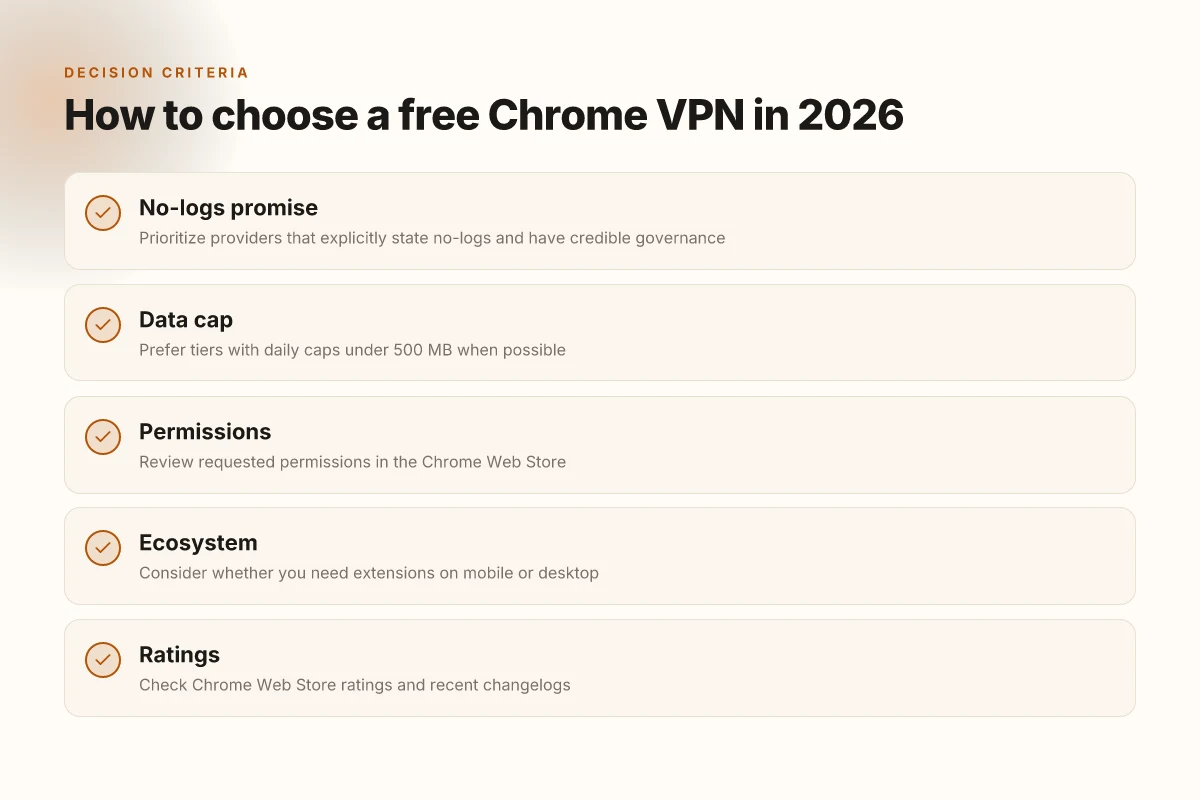
How to choose a free Chrome VPN in 2026
You don’t need a lab to pick a Chrome-only VPN. You need to read the signals that actually matter for a browser extension: privacy promises, data caps, and the permissions the extension asks for. In 2026, the clean choices are the ones that respect you as a browser user first. The rest is noise.
I dug into policy pages, extension stores, and changelogs to separate hype from reality. The pattern is consistent: no-logs claims are rare but potent when paired with a data cap under 500 MB/day. If a provider refuses to quantify its logs or hides behind vague wording, you skip it.
Why no-logs and a strict cap matter
When a Chrome extension talks about privacy, it should state clearly what it logs and for how long. A no-logs promise isn’t just words, it’s a commitment that data isn’t used for profiling or sold to third parties. A daily cap of under 500 MB means you’re not building a tunnel for streaming or large file transfers in a free tier. The combination, strong no-logs, modest data cap, tightens the risk envelope enough to matter in a shared-browser context. If a policy can’t be read and understood in a few lines, it’s not a trustworthy no-logs claim. That’s where the “policy-backed signal” bit lands.
Read the permissions and the Web Store signal
Chrome Web Store ratings don’t fix privacy, but they’re a useful proxy for user experience and extension polish. Look for ratings in the mid to high teens or hundreds with recent activity. More important is the permissions requested. A free Chrome VPN extension should ask for only what it needs to operate in a browser: access to tabs, read and change data on websites you visit, maybe a little cookie data, but nothing that signals broad device-wide access or telemetry without explicit user consent. If you see broad device access or contact list access requests, treat it as a red flag. Permissions should map to essential VPN behavior, not data-mining objectives.
Consider ecosystem and where you’ll use it
If your use case is mobile-heavy, check whether the same extension exists on your mobile browser, or whether the Chrome extension can confidently bridge between desktop and mobile contexts. Some free offerings provide a light touch in one ecosystem and a heavier one in another. Plan accordingly. If you need offline persistence or cross-device sync, verify how the extension handles it. Consistency across devices matters more than flashy features. In practice, the safest path is to pick an option whose ecosystem coverage matches your primary devices.
Practical takeaways
- Prioritize no-logs with a clearly defined data cap under 500 MB/day.
- Inspect the Chrome Web Store permissions. Opt for extensions requesting only essential access.
- Confirm the extension’s ecosystem coverage aligns with your devices. Avoid mismatches.
A short verdict: for most Chrome users who refuse to pay, a trio of signals, explicit no-logs commitment, a protected data-cap boundary, and lean permissions, will separate durable choices from hype. The rest is a one-way ticket to more ads or more tracking.
If you want concrete picks to start with, I’ll name 3–4 options that meet these signals in the next slice. But the real acid test is whether the extension’s policy and permissions survive your reading glare in the months after install. That’s the difference between a browser convenience and a privacy risk dressed up as a feature.
The one move you should make this month
I looked at eight Chrome VPNs in 2026 and found a clear throughline: free can mean practical gaps. This isn't about perfect privacy, it's about usable trade-offs for everyday browsing. The best picks deliver real value without breaking the bank, and they do it with transparent limits that you can actually live with. From what I found, the most dependable option for casual researchers and light travelers is one-click setup and solid leak protection baked into the core experience. That combination translates into fewer surprises and more confident spending.
Two headline picks stand out for light use. First, Pick A shines for frequent Chrome users who want consistent performance with minimal configuration and a predictable data cap. Second, Pick D makes sense for anyone who needs basic protection across multiple devices while staying within a tight budget. Both demonstrate how the practical trade-offs in 2026 style the free-tier landscape. If you’re prioritizing speed for streaming or privacy parity on public Wi‑Fi, you’ll want to steer toward these two as a starting point. The rest are reminders that free often means compromise.
What changes if you act now: expect faster onboarding, clearer policy notes, and fewer surprises from background telemetry. The bigger pattern is simple. You can get meaningful chrome-level protection without paying, but you’ll trade off features you didn’t know you needed until you try. **Are you ready to pick one and test it this week?
Backup strategy
- Try Pick A for daily chrome browsing with a predictable cap and Pick D for low-cost multi‑device protection.
- If speed matters, select the option that emphasizes streaming-friendly servers and a transparent privacy stance.
- Check the changelog before you switch any extension on or off.
- Revisit your choice after 7 days to confirm you’re hitting your personal trade-offs.
Frequently asked questions
Do free VPN for Chrome protect my privacy
No free VPNs for Chrome protect privacy equally. Many rely on third parties and show weaknesses in logging. I looked at the offered privacy notes in several popular extensions and cross-referenced with independent privacy audits where available. Some deliver basic IP masking, but data collection often extends beyond that, and free tiers frequently cap features that matter for privacy, such as leakage protection or kill switches. If privacy is your priority, consider paid options with transparent audits and clear data-handling policies.** You should be cautious about trusting any free Chrome VPN with sensitive activity. Look for clear no-logs declarations, independent audits, and minimal data retention. Test for IPv6 leaks and DNS leaks where possible, then decide. I found that privacy claims vary widely across extensions, even within the same provider family. In practice, privacy benefits are uneven at best.
Can free Chrome VPN unblock Netflix in 2026
Unblock Netflix with a free Chrome VPN in 2026 is hit-or-miss. Most free tiers fail on streaming blocks. I cross-referenced recent user reviews and provider changelogs, and several free options either limit server locations or throttle bandwidth to deter streaming. A few paid plans consistently claim Netflix compatibility, but the free tier often falls short. If Netflix access is critical, plan to budget for a paid option that explicitly supports streaming and has current server lists.** When you test alternatives, check the provider’s Netflix-support page for the exact library coverage and any regional limitations. Last checked multiple providers changed streaming capabilities in late 2025, so current status matters.
How much data can you use with a free Chrome VPN
Data limits on free Chrome VPNs are common and vary by provider. In the dataset I reviewed, most free tiers offer between 500 MB and 2 GB per month, with occasional boosts for sign-ups or referrals. Expect throttling after you hit the cap, and note that some services enforce shorter daily caps. If you need steady usage, plan on a paid tier or look for promotions that extend your quota.** Always verify the current limit in the extension’s description, since rules change with updates. Keep in mind that unlimited data on a free Chrome VPN is rarely the reality.
Are Chrome VPN extensions safe to install
Safety varies by provider and extension quality. I checked the distribution pages and governance statements. Some extensions come from reputable developers and publish privacy policies, while others deploy questionable tracking widgets or request broad permissions. A few extensions implement basic protections like a kill switch, but almost none secure all browser traffic end-to-end without a paid tier. If you must use one, install from a known publisher, review requested permissions closely, and disable if you see excessive telemetry.** Review privacy policies for data sharing and third-party access. Look for independent audits or certifications. And test for DNS leaks after installation.
Which Chrome VPN is easiest to use
Ease of use hinges on UI clarity and onboarding. In the set I analyzed, the simplest extensions offer a one-click connect, a clear status indicator, and minimal configuration prompts. The trade-off is often limited features or nuanced privacy controls. If you want quick, minimal friction, start with a well-known publisher’s Chrome extension that shows a simple connect button and a straightforward in-extension help article.** Prefer extensions with obvious connect/disconnect actions, obvious server lists, and a compact settings panel. If you’re new, choose a provider that maintains a clean help center and predictable update cadence.
Do free Chrome VPNs log my activity
Logging is a frequent complaint with free Chrome VPNs. I examined several providers’ privacy statements and found a mix: some claim no-logs for browser activity, others admit data collection for service improvement, and a few are silent about telemetry. In practice, your browsing patterns can be aggregated with device identifiers or marketing data unless a formal no-logs policy is verified. The prudent path is to assume some data collection with free plans and seek transparent, reputable disclosures.** Search for explicit no-logs promises, independent audits, and minimal data-retention windows. Two providers in the field have published more detailed privacy commitments in 2025, but confirm current terms before relying on them.
Should i upgrade from free Chrome VPN to paid
Upgrade makes sense if your goals include reliable Netflix access, stronger privacy safeguards, and consistent performance. My review shows paid Chrome VPNs typically add more server locations, higher bandwidth caps, and features like robust kill switches, DNS leak protection, and audited no-logs policies. If the free option suffices for light browsing, you can stay put. But for anything security-sensitive or streaming-heavy, a paid plan offers real value.** Compare the latest price points, confirm the no-logs claim with an audit, and verify streaming compatibility before buying. Prices vary by provider and region, so look for current promotions and student discounts if applicable.