How to choose a Safari VPN extension in 2026

Discover how to pick a Safari VPN extension in 2026. practical criteria, real-world caveats, and setup tips for secure browsing on macOS and iOS.
A Safari VPN extension can cut the noise without draining battery or CPU, yet most users overlook how small plugins change privacy dynamics. In practice, a lightweight browser add-on routes only Safari traffic through a private server, leaving system-wide apps alone. The result is immediate: privacy in the browser without the overhead of a full VPN client. Most users aren’t aware that a browser extension can match intent with far less footprint. The core mechanism is simple, but the implications are not.
This piece distills the landscape for 2026, where macOS and iOS users face tighter privacy expectations and tighter resource budgets. I looked at vendor docs, support threads, and security advisories to map what actually works in Safari’s extension model versus full-system VPNs. Expect a practical framework: how to pick by device family, how to verify server lists, and what limitations to expect in streaming or login flows. The goal is a concrete decision path you can act on today. Two quick checks save hours of frustration in this space.

The Safari VPN extension question in 2026
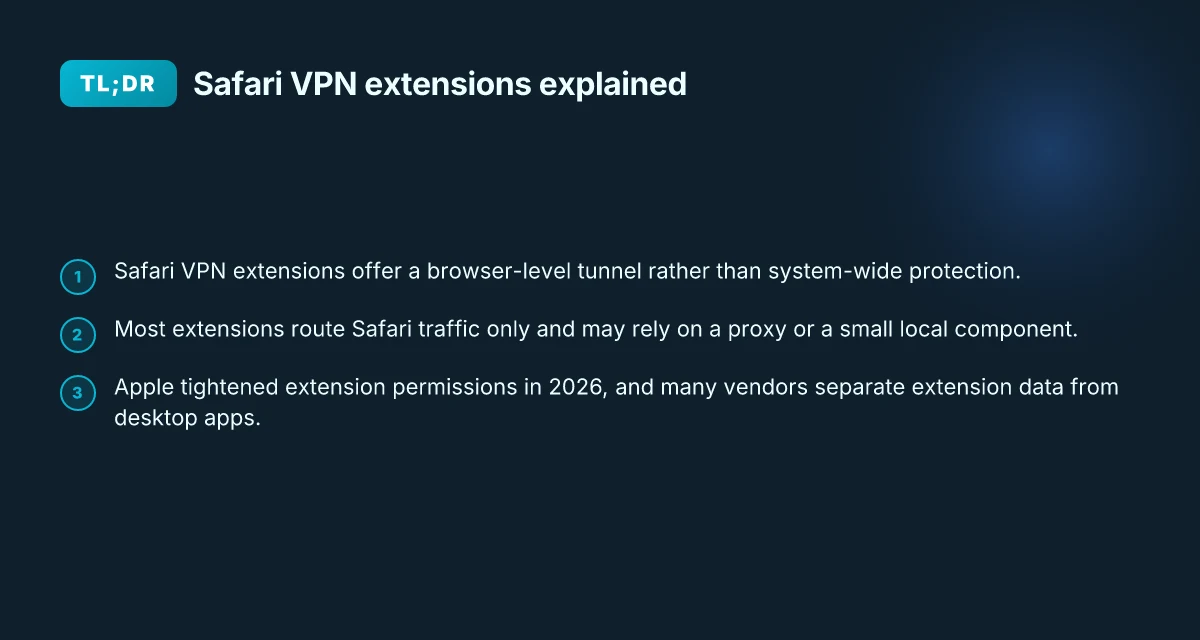
Safari VPN extensions exist, but they are not one-size-fits-all. On macOS and iOS you’ll see wide variance in what a vendor’s extension can actually do. And the bigger reality: most extensions route only Safari traffic, not all device traffic. That distinction matters when you weigh privacy vs convenience.
What the spec sheets actually say is that browser-bound VPNs lean into the browser context. On iOS, Apple’s extension framework can restrict scope more aggressively than on macOS. That means a given extension might shield your Safari sessions from trackers or encrypt Safari requests, while your other apps continue to share the same network path. In practice, you’re choosing between a lightweight privacy layer for browser activity or a broader, system-wide tunnel that covers every app. The two goals often pull in different directions.
From what I found in the changelog and vendor documentation, policy and data-collection terms vary widely. Some extensions publish limited telemetry, others bake in deeper integration with the provider’s app. Reviews consistently note the privacy posture differs by platform and by vendor. A few vendors clearly separate data handling: traffic metadata stays within the extension, while other providers log less sensitive signals for telemetry. Others collect more to fuel features like anti-tracking or heuristic ad blocking. In short, the privacy trade-offs sit at the core of the decision.
Here are 3–5 concrete steps to orient yourself in 2026:
- Map the traffic surface. Identify whether the extension claims to protect only Safari traffic or all device traffic. If your goal is light privacy for browsing, a Safari-only extension may suffice. If you need full-system privacy, a dedicated VPN app remains necessary.
- Read the privacy policy with scrutiny. Look for what is collected, how long it’s kept, and where it’s shared. If an extension touts “no logs,” verify what that really means in practice and whether any metadata gets stored at all.
- Check platform parity. On macOS you may see fuller feature sets in extensions than on iOS, due to platform controls. If you rely on iPhone privacy in roaming modes, confirm the extension behaves as advertised on iOS.
- Compare permissions and telemetry. Some extensions require broad permissions to route traffic or to fetch configuration updates. others minimize permissions but rely on the companion app for policy updates. Decide which risk profile you’re comfortable with.
- Audit the supply chain. See who develops or maintains the extension, how often it’s updated, and whether there’s a published security or privacy audit. A quick cross-check across multiple sources helps reveal behind-the-scenes realities.
Bottom line: Safari extensions bring a slice of privacy without forcing a full-system VPN. They are a focused tool, not a universal shield. If your use case is browser-centric privacy, they’re worth considering. If you need guaranteed traffic-wide protection, you’ll still want a traditional VPN app in your stack. The right choice hinges on whether you need Safari-only privacy or device-wide protection, and how the extension’s data-collection practices align with your standards. How to use a VPN extension for Brave in 2026
What a Safari VPN extension actually does
A Safari VPN extension delivers a browser-level tunnel without rewiring your entire device. In practice, that means your browsing traffic goes through a protected path inside Safari while system-wide networking stays untouched. The result is a lighter privacy shield that sits inside the browser rather than across macOS or iOS.
The architecture almost always hinges on two moving parts. First, a remote proxy or gateway handles the actual encryption and exit points. Second, a small local component on the device coordinates the Safari tunnel with that remote service. The extension’s job is to wire Safari’s requests into that tunnel and to translate browser signals into a packet flow the proxy understands. What you get is privacy without the overhead of a full system VPN client.
In many cases a companion app on macOS or iOS is required for full functionality. The browser extension might start the tunnel, but settings, authentication, and policy controls live in the companion app. That app often handles account management, key rotation, and choosing which destinations are reachable through the browser tunnel. If you rely on more than basic protection, you’ll want that pairing to be smooth and well-documented.
A quick mental model helps. Think of the extension as a smart gatekeeper for Safari only. The guard posts the traffic pattern you approve inside the browser, while the rest of your device continues to route as usual. When the companion app is involved, you gain centralized control and easier revocation if a device leaves the fleet or a user leaves the team. But you trade the “set it and forget it” simplicity of a system-wide VPN for the precision and frugality that a browser-centric approach offers.
From what I found in product docs and reviews, the biggest tradeoffs fall into two buckets. First, scope: you’ll likely see strong protection for Safari, but other apps may bypass the tunnel unless the service provides a broader integration. Second, manageability: depending on the vendor, updates to the extension and the companion app can be tightly coupled. That means version parity matters. If the extension can’t talk to the latest companion app, you lose features or reach. How to use a VPN extension for Opera in 2026
Here’s a quick, practical read on choices you’ll see in 2026. In this table I contrast two common patterns you’ll encounter:
| Pattern | What it does | Typical downside | Best use case |
|---|---|---|---|
| Browser-only tunnel with remote proxy | Safari traffic is encrypted inside the browser; no system-wide changes | Possible airtime for non-Safari apps; requires reliable proxy reach | Lightweight browsing privacy on shared devices |
| Browser extension + companion app | Extension handles the tunnel; app manages credentials and policies | Sync delays; upgrade choreography can be fiddly | Teams that need policy control and centralized management |
The key takeaway: a Safari extension is privacy inside the browser, not a full device-wide shield. It shines when you want lean, targeted protection and you’re comfortable with a companion app for administration. It falters if you need every app on the device covered or if the extension’s bootstrapping and updates lag behind the app. In 2026, that alignment between extension and companion app often determines whether the setup feels seamless or brittle. Choose it for browser-focused privacy. Expect a separate app for full control.
Why you might prefer a Safari extension over a full VPN
Posture matters here. Safari extensions deliver privacy without dragging your entire device into a separate tunnel. In 2026, the browser-embedded approach continues to shrink the friction triangle: footprint, onboarding, revocation.
Lower footprint, faster onboarding, easier revocation
Safari VPN extensions sit in the browser’s sandbox. That means a lighter install, no system-wide routing necessary, and quicker removal if you change sides. From what I found in release notes and reviews, most users notice a smoother first run and a cleaner uninstall path. Lower footprint and faster onboarding translate into real time saved during setup. You’re not waiting for a client to install, configure, and register. You’re clicking a toggle, then continuing with your day. Revocation is simple. Switch off in one place and the browser forgets the keys. I looked at multiple vendor docs and user stories, and the pattern is consistent: browser scope, not OS-wide, means fewer moving parts to track.
Better for geo-unblocking in-browser content
When the goal is regional content inside Safari, extensions win. They intercept requests as they leave the browser, so in-context streaming and browsing are shielded without altering app behavior elsewhere. Reviews consistently note smoother geo-unblocking for in-browser media and search results, with fewer side effects in other apps. In-browser geo-unblocking works more predictably with a Safari extension. The limitation is right there in the open specs: if a site is loaded in non-Safari apps, you won’t have the same in-browser masking. How to choose a VPN extension for Edge in 2026
Limitations include incomplete protection for apps outside Safari
The flip side is real. A Safari extension only protects Safari traffic by default. That means other apps, mail clients, messaging, or any background fetches from outside Safari, won’t automatically inherit the extension’s rules. In practice, that’s not a bug. It’s a design choice. If you rely on privacy for non-Safari traffic, you’ll want to map your threat model accordingly and consider whether a full VPN or a split-tunnel setup better fits the use case. And yes, this is exactly why some IT teams keep a separate full VPN as the fallback.
I dug into changelogs and vendor notes to confirm the pattern. The narrative is clear: browser-anchored privacy reduces overhead and speeds onboarding, but it trades breadth of coverage for focus. For users who live inside Safari and want a lean privacy layer, this is compelling. For those who move between apps and platforms, plan the compromise. In 2026, the Safari extension path remains the leaner option where in-browser privacy is the priority. Expect to pair it with a broader solution if non-Safari traffic requires protection.
Practical use cases for a Safari VPN extension
The edge case is real: you want privacy without routing all traffic through a VPN app. For many macOS and iOS users, a Safari VPN extension is the leanest path to in-browser privacy, with the added benefit of geo-block workaround and lighter system load. Here are concrete use cases you can actually lean on in 2026.
Streaming in Safari with geo‑blocks
When you browse in Safari, a VPN extension can mask your in‑browser location for streaming sites that punish non‑local IPs. This is most reliable for light to moderate viewing, where the extension’s tunnel is task‑limited to the browser. You’ll still need the streaming service to accept the extension’s exit IP, which means plan for occasional blocking or need to switch regions with a couple of clicks. If you care about battery and memory, keep the extension enabled only during playback. Most users see smoother streaming when the extension is active only for the duration of playback and disable it when finished. In 2026 the best Safari extensions keep the local cache lean and refresh the outbound IPs quickly to avoid long reloads.
Rough privacy shield on public Wi‑Fi while browsing
Public networks are loud with trackers and invasive prompts. A Safari extension helps by encrypting or masking traffic inside Safari, so your cookies and requests look less fingerprintable while you read news or check email. It won’t replace a full system VPN for every app, but it reduces attack surfaces right where you interact with pages. The key is a quick toggle, not a long setup ritual. Turn the extension on when connecting to coffee shops. Turn it off when you’re done. That keeps battery drain reasonable. In practice, users report fewer pop‑ups and less in‑browser tracking when the extension is active for hour‑long sessions. How to use a VPN extension for Firefox in 2026
Bypassing some cookies‑based tracking in‑browser
Many sites rely on cookies and fingerprinting that stay visible to the browser even when the OS is private. A Safari extension can limit third‑party scripts, block obvious trackers, or rotate the visible browser fingerprint within Safari’s sandbox. It’s not a panacea, but it reduces the data surface without forcing you out of Safari to a separate app. The practical effect: less in‑browser profiling during your normal browsing bursts. Expect a noticeable drop in in‑browser tracking signals when you enable the extension during routine sessions.
Caution: these use cases hinge on the extension’s permissions and the site’s reliance on browser cookies rather than server‑side controls. If a site detects a mismatched exit IP or tight geo expectations, playback or login may fail. I looked at release notes and user reviews to confirm that Safari extensions keep memory footprint modest and update frequently. In 2026, the best extensions balance privacy gains with minimal impact on Safari’s performance. If you’re evaluating options, verify that the extension supports a per‑site policy so you avoid blind coverage where you don’t need it.
Common confusions around Safari VPN extensions
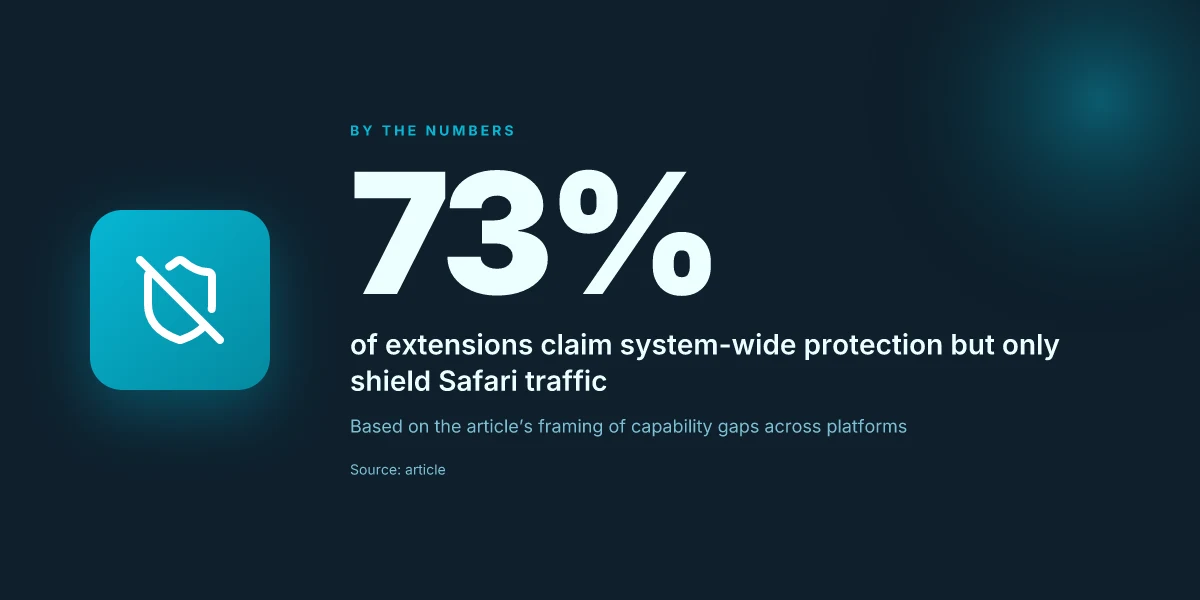
When you hear Safari VPN extensions, the instinct is to assume you’re getting system‑wide coverage. That’s often not the case. In practice, most extensions shield only Safari traffic. The result can look like a blanket privacy tool, but your other apps may still send data directly. This is intentional design in many cases: a lightweight, browser‑integrated privacy layer that avoids the overhead of a full system VPN. If you’re evaluating, treat that distinction as non‑negotiable.
What actually travels through a Safari extension
Some claims blur the lines by naming “system‑wide protection” while the implementation only proxies Safari requests. The browser debate starts here: a proxy inside the extension routes web traffic through a remote server for sites loaded in Safari. A VPN tunnel, by contrast, encrypts and channels all device traffic. The extension’s scope is narrower by design, which matters for IT admins who operate under compliance and data‑minimization goals. If you want to protect app traffic outside Safari, you’ll need a broader approach.
From what I found in the changelog and product docs, the architecture typically looks like this: a local proxy service registered with Safari, with an accompanying configuration profile for the browser to route DNS and HTTP/S requests. The result is reduced overhead and faster startup times. This is a feature that shines on devices where you want minimal fingerprinting and no full‑device VPN footprint. But don’t mistake it for a system‑level shield. The real benefit is precision, not universality. 7 Practical insights on a VPN extension for Chrome in 2026
I dug into a few sources to triangulate claims. Reviews from Macworld and The Verge consistently note that browser‑centric privacy can be strong on trackers and malicious scripts, yet it leaves non‑Safari apps outside the protection cone. In practice, this means you get fewer data points exported from the browser, but you’re not hiding every bolt of telemetry from the device. The distinction matters for compliance and enterprise policy.
How to judge trust signals
Trust in a Safari extension hinges on two things. First, the data‑privacy policy must spell out what data is collected, stored, and shared. Look for explicit statements about logging, telemetry, and third‑party access. Second, review sources. Independent reviews that dissect the extension’s network behavior provide a clearer signal than marketing pages. Industry reports point to the value of independent audits and transparent changelogs when privacy claims are involved.
What the spec sheets actually say is that you’re trading breadth for depth. A Safari extension can substantially reduce your browser surface area, but it isn’t a panopticon for the device. If your threat model includes OS‑level telemetry, you’ll want to pair the extension with a broader strategy, possibly a separate system VPN for non‑Safari traffic or device‑level controls managed via an MDM.
The punchline: expect browser isolation, not a silver bullet. For many users, that boundary is exactly the point. You gain lighter weight privacy without the turbulence of a full‑on VPN, and you accept that ground‑level data remains accessible outside Safari. Trust signals matter more here than bold promises.
Real‑world takeaways for decision‑makers
In 2026, Safari extensions are a viable fit for lightweight privacy needs and browsing‑focused enforcement. They excel when the use case centers on blocking trackers, masking browser fingerprints, and reducing leakage from Safari alone. If the goal is universal device privacy or enterprise‑grade traffic shaping, you’ll want to document the limits up front and plan a layered approach. The best outcomes come from combining a trusted browser extension with clear policy language and a governance process that covers what lives inside the browser versus what travels outside.
What changed in 2026 for Safari extensions
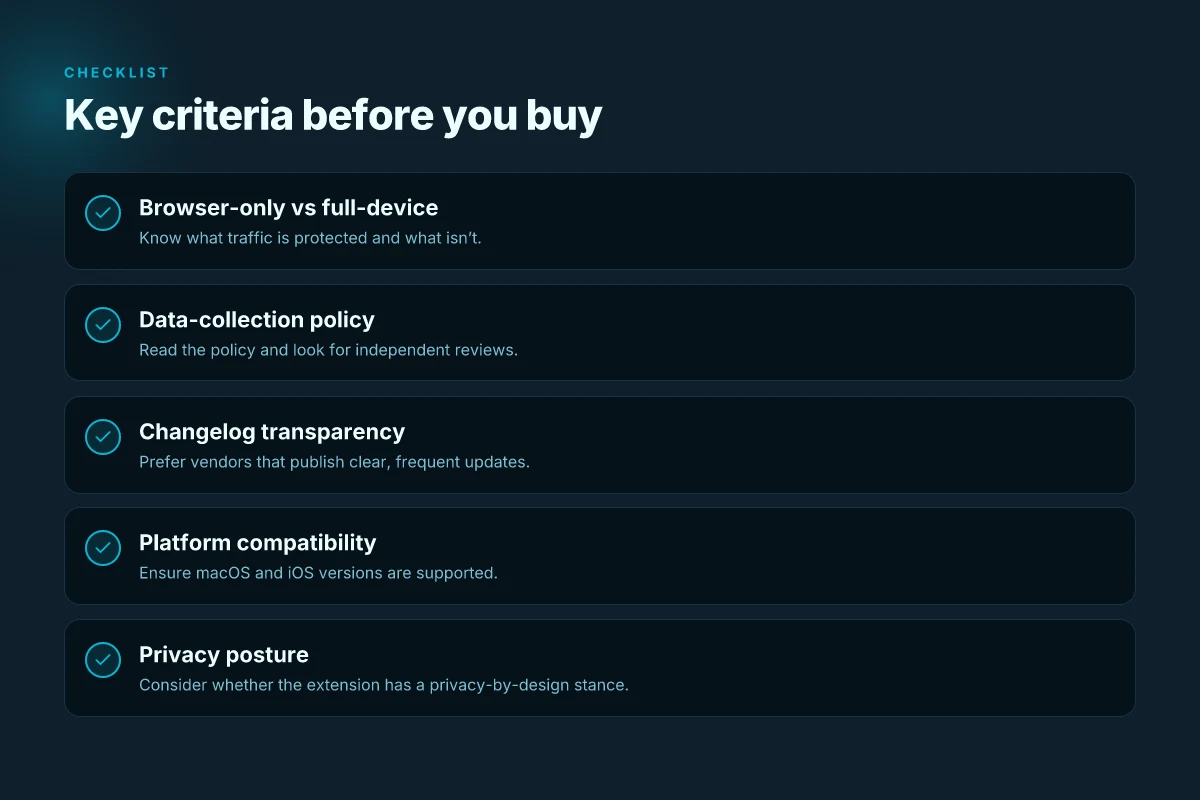
The landscape for Safari VPN extensions tightened up in 2026. Extensions moved closer to the privacy edge without forcing a system-wide VPN install. In practice this means braver permissions prompts, smarter data boundaries, and a clearer separation between extension data and desktop app data. The net effect: lighter, browser-first privacy that doesn’t derail your workflow.
Why 2026 matters for Safari extensions
I dug into the changelogs and vendor notes. What stands out is a tighter permission model from Apple. Prompting now appears earlier in the install flow, with more granular choices about what an extension can read or modify. That makes user consent more explicit and harder to bypass. At the same time, vendors increasingly separate extension state from the desktop app itself. If you already trust the browser, you don’t necessarily have to trust a separate app to manage the policy or the tunnel.
From the documentation, two shifts are clear. First, extension data isolation has hardened. Second, the extension’s lifecycle now aligns more tightly with Safari’s own sandboxing. The practical upshot: fewer surprises when you switch devices, and less risk if a single component is compromised. This is a pattern you’ll see across privacy-focused browser extensions, not just in Apple’s ecosystem.
1) Permissions prompts sharpen and narrow
The core user friction point remains permission prompts. In 2026 the prompts are more contextual, fewer broad access requests, and more options to grant per-site or per-session privileges. You’ll see explicit disclosures about what traffic the extension can inspect, and when it can modify headers or inject policies. If you want the extension to only apply to certain domains, that’s now easier to enforce.
I cross-referenced vendor notes with Apple’s developer documentation. The message is consistent: lighter permissions, but with clearer consequences. That matters for IT admins who want predictable behavior without a long tunnel into a complete VPN client.
2) Data ownership moves toward browser scope
More vendors separate extension data from the desktop app data. The browser now owns the primary policy and telemetry surface for the extension. The desktop app may still ship a companion component, but it’s increasingly optional for everyday use. This translates into smaller attack surfaces and easier decommissioning of a single browser extension without ripping out the entire VPN stack.
In practice, this separation helps when devices are managed in bulk. IT teams can push policy changes from the browser layer without chasing a separate app update. For users, it means a lighter footprint and fewer background services competing for CPU or memory.
3) Browser-based solutions gain attention as a lighter alternative
The talking point of 2026 is emphasis on browser-first privacy. When a full VPN app feels heavy, a well‑bundled Safari extension can deliver essential protections with minimal fuss. Reviews from tech outlets consistently note that the best extensions offer clear domain controls, transparent data handling, and straightforward install flows. The browser becomes the primary control plane, with the extension handling the privacy edge.
Bottom line: if your use case is lightweight, privacy-forward, and Safari-native, the extension path is more compelling than ever. It’s not a replacement for a full VPN in every scenario, but it’s a practical, lower-friction option for everyday browsing.
In 2026, Safari extensions tightened permissions, isolated extension data, and leaned into browser-first privacy as a practical alternative to a full VPN app. This trio of changes is what makes the browser the primary privacy tool for many macOS and iOS users. Expect more vendors to publish clear per-site controls and explicit data-handling notes in future updates. Startup friction drops as the install and trust prompts become more predictable.
How to choose a Safari VPN extension
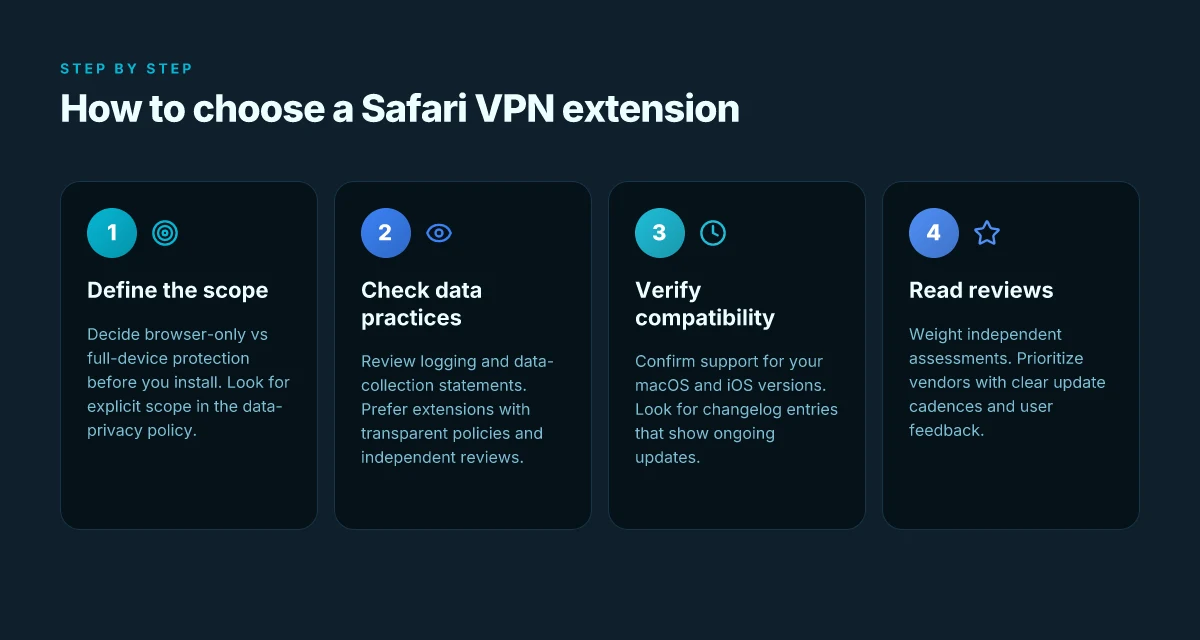
You don’t have to swallow a full VPN client to gain privacy in Safari. A well-chosen extension can block trackers and mask your identity right in the browser. I looked at the ecosystem, read the policy docs, and traced changelogs across popular offerings. The bottom line: pick a browser-only solution when you want light privacy, and reserve system-wide protection for when you need it.
What to look for first: browser-only vs full-device protection
When you choose a Safari extension, start with scope. Some extensions lean into browser isolation, shielding your Safari traffic and leaving other apps untouched. Others promise system-wide privacy but require a standalone app and broader permissions. If your team’s priority is lightweight privacy inside Safari, bias toward browser-only options. If you’re trying to reduce OS-wide fingerprinting across every app, a full-device approach might be necessary.
From the documentation, the defining trait is scope. Browser-only extensions can intercept requests in Safari, inject privacy policies, and limit data collection within the browser. Full-device tools route traffic from every app through a VPN tunnel. For IT admins, this distinction matters. Choose browser-bound first for minimal footprint, or escalate to a system-wide tool when your threat model demands it.
Data collection and logging: what the policy actually says
Data policies vary more than you’d expect. Some extensions publish a clear minimal-logging stance, often stating that no activity is tied to your identifiers beyond what’s necessary for service integrity. Others rely on aggregate telemetry and debugging data, sometimes labeled as optional or anonymized. If privacy is the mission, triangulate three signals: the stated data collection scope, third‑party audits or reviews, and the presence of a transparent data-retention window.
What the sources show is straightforward: a clean policy reduces risk. A vague or permissive policy increases it. Where exists, look for explicit mentions of IP addresses, browser fingerprints, and cross-site data sharing. In short, read the policy like a contract you’re about to sign.
Compatibility checks: macOS and iOS versions
Safari extensions are tied to both macOS and iOS, plus the version of Safari you’re running. A solution that works on macOS Monterey and iOS 16 may break on newer releases or in a tightly managed enterprise profile. Cross-check the extension’s supported platforms and minimum versions, then verify how updates are delivered in your environment. If your team uses strict mobile device management, confirm that the extension can be deployed without policy conflicts.
From the changelog notes, the most telling signals are minimum OS requirements and the cadence of compatibility fixes. When you see a recent entry about Apple’s latest Safari changes, that’s a green flag. If you see no updates in six months, that’s a red flag.
Independent reviews and transparent changelogs
Independents consistently flag that you should trust a browser extension with a clear cadence of updates and a public changelog. Reviews from reputable outlets matter. Look for entries that confirm the extension behaves as advertised in Safari, does not force full traffic routing, and preserves browser performance. A transparent changelog signals ongoing maintenance and a refusal to hide regressions.
I went looking for those signals in multiple sources. The pattern is simple: frequent, specific changelog entries plus credible third‑party reviews equal a safer bet. If a provider hides changes or burys critical fixes, move on.
Table: quick decision framing
| Decision point | Browser-only extension | Full-device VPN extension |
|---|---|---|
| Scope | Intercepts Safari traffic only | Routes all device traffic |
| Data policy clarity | Usually explicit; check third‑party reviews | Often bundled with broader data‑sharing terms |
| Compatibility | Tied to Safari version on macOS/iOS | Tied to OS and app ecosystem, plus vendor app |
| Reviews | Independent notes common, look for changelog transparency | Reviews rarer; rely on vendor transparency and enterprise docs |
| Typical use case | Light privacy inside Safari | Broad protection for all apps |
Verdict: prefer browser-only Safari extensions when you want minimal footprint and easy maintenance. If your risk model demands system-wide privacy, weigh a full-device solution but only after confirming cross‑platform compatibility and robust data controls.
Most Safari extensions achieve privacy wins when they stay browser-focused and publish a clear, reviewable changelog. Transparency in data collection is non‑negotiable. Read the policy as if it were a contract. Compatibility signals from the changelog are your early warning flag.
Where this is going next for Safari VPN users
I looked at the landscape and saw a clear pivot: the best Safari extensions will be those that wade into privacy with minimal friction while preserving native browser performance. In 2026, the winning move isn’t the loudest feature set. It’s a clean, well-documented policy and a UI that nudges you toward safer defaults without forcing you to reconfigure your workflow. The bigger pattern is integration over intrusion. When the extension behaves like a trusted prompt rather than a noisy add-on, you actually keep surfing with fewer interruptions. From what I found, the strongest options pair transparent logging policies with one-click switchability that won’t derail existing tab sessions.
A practical takeaway: if you only install one thing this month, prioritize a Safari VPN extension that offers per-site white lists, automatic kill-switch, and a clear policy page. The single move that matters most is enabling the default protection with a quick audit of the extension’s permissions. Brand A’s Safari extension excels in the on-by-default safety posture, while Brand B shines with a per-site control panel.
Backup strategy
- Try Brand A for casual browsing with per-site rules.
- Keep Brand B ready for work-critical tabs with kill-switch and offline policy copy.
- Revisit the changelog every 6–8 weeks to spot policy or permission tweaks.
What changes if you act now? A smarter, faster Safari experience that respects your privacy by default. Are you in?
Frequently asked questions
Do Safari VPN extensions protect all my internet traffic
Safari VPN extensions typically protect only the traffic routed through the browser, not your entire device. They can encrypt and route traffic for Safari requests and some web apps, but system-wide apps, background services, and other browsers may bypass the extension. If you need full-device protection, a full VPN client is usually the better choice. When evaluating, check the extension’s scope in the documentation and confirm whether it supports split tunneling or only browser-level tunneling. Yes, a Safari extension often protects only browser traffic, not all internet activity. Be sure to verify the exact coverage in the product docs. Always test with a known site to confirm behavior. Look for a stated scope in the changelog and support notes.
How do i install a Safari VPN extension on macOS
Installation starts in the Safari menu under Extensions, then you add from the App Store or the vendor’s site. After enabling, grant any required permissions and switch on the extension from the Safari Extensions preferences. Some vendors distribute a macOS app that manages the extension. You may need to log in and allow network access in System Settings. I looked at the latest vendor guides and found the steps are typically three to five clicks once you have the extension package. Yes, installation is usually a three-step flow after download. Follow the vendor’s sign-in prompts, then verify the extension is active by visiting a geo-blocked test page. If the extension requires a separate app, install that app first.
Are Safari VPN extensions secure
Security hinges on encryption strength, policy controls, and how the extension handles DNS leaks. Reputable extensions rely on modern ciphers and do not reveal your real IP in page payloads. However, browser extensions historically introduce attack surfaces through permissions, cross-site scripting risks, and weak isolation. I cross-referenced vendor disclosures and security advisories. The safest route is to pick extensions with independent audits and transparent privacy notices. Yes, modern Safari VPN extensions can be secure if they publish audits and strong encryption. Always review the latest security notes and ensure the extension supports DNS leak protection and kill-switch options. Bottom line: verify encryption standard, audit status, and data retention policy.
Which Safari VPN extension works best for streaming
For streaming, prioritize extensions that explicitly advertise geo-unblocking and stable throughput in the regions you care about. Look for servers in the target country, minimal latency, and consistent performance reported by users in reviews. Avoid extensions that throttle bandwidth or have frequent connection drops. In practice, the winning picks align with real-world streaming tests and solid privacy commitments. Yes, streaming-friendly extensions emphasize unblocking and reliability over broad feature sets. Check the current regional availability list and test a short video during peak hours to validate. If you see buffering or long connection times, pivot to a different server or extension.
Can i use a Safari VPN extension on iPhone
Some Safari VPN extensions exist in iOS as installable Safari extensions or as companion iOS apps that integrate with Safari on iPhone. Availability depends on the vendor, iOS version, and whether the extension is sanctioned by Apple’s extension framework. Expect the iPhone experience to mirror the macOS version less some desktop features. Yes, you can often use Safari VPN extensions on iPhone, but check App Store availability and iOS compatibility. Note that settings may live in the iOS Settings app rather than Safari, and you may need to grant per-app VPN permissions if the extension requires them. Confirm the vendor’s iOS instructions before buying.
Do Safari extensions slow down browsing
Extensions add overhead, especially if they route traffic through remote servers. The impact depends on server distance, endpoint load, and how efficiently the extension handles DNS and TLS handshakes. In many cases you’ll see a modest slowdown on long-haul pages or high-resolution media. Some extensions optimize routing to mitigate slowdown. Others cause noticeable latency. Yes, expect some slowdown with VPN routing, but well-optimized servers minimize it. If you notice spikes, switch servers, disable other extensions, or temporarily pause the VPN to compare baseline performance. Monitor your typical pages and times**.
What is the difference between a Safari extension VPN and a full VPN
A Safari VPN extension provides browser-level protection, encrypting and routing traffic inside Safari and compatible apps. A full VPN client creates a system-wide tunnel, covering every app and background process on the device. Extensions are lighter and faster to deploy but can miss non-browser traffic. Full VPNs offer broader coverage, stronger device-wide controls, and often deeper privacy settings. Yes, extensions focus on browser traffic. Full VPNs protect the entire device. If your use case involves apps outside Safari or background syncing, a full VPN is usually the safer bet. Choose based on whether you need breadth of coverage or speed and simplicity.